

Skills Practice
Python
LM Studio
System Messages
Terminal
Project Syopsis
LM Studio and the Local Inference Server
Welcome to this beginner tutorial on how to run a local server with the LM Studio Local Inference Server feature. In this post we'll navigate beyond the conventional Chat UI and I will guide you through using LM Studio to chat with LLMs downloaded onto your local system through a terminal interface. Join me on this learning journey, where I share valuable code snippets and insights.
With LM Studio you can search for and download open source llm's available on Hugging Face Our focus will be on a setup that lets you initiate and manage conversations with your local model directly. This setup is not just about running the model; it's about establishing clear roles and sources of instructions for the llm you choose.
Software


Already in OS
Using LM Studio to build a Personal AI Assistant

One of the key features we will explore is the ability to dynamically read system messages from a text file. This functionality simplifies updating the system message, system prompt, or pre-prompt (akin to Chat GPT's custom instructions), all without needing to alter the script's core code.
While LM Studio provides a user-friendly in-app Chat UI for experimenting with LLMs, our journey today takes a different path. We delve into an alternative, more technical way to interact with these models, offering a richer experience for those who like to get their hands 'code-deep' into the technology.
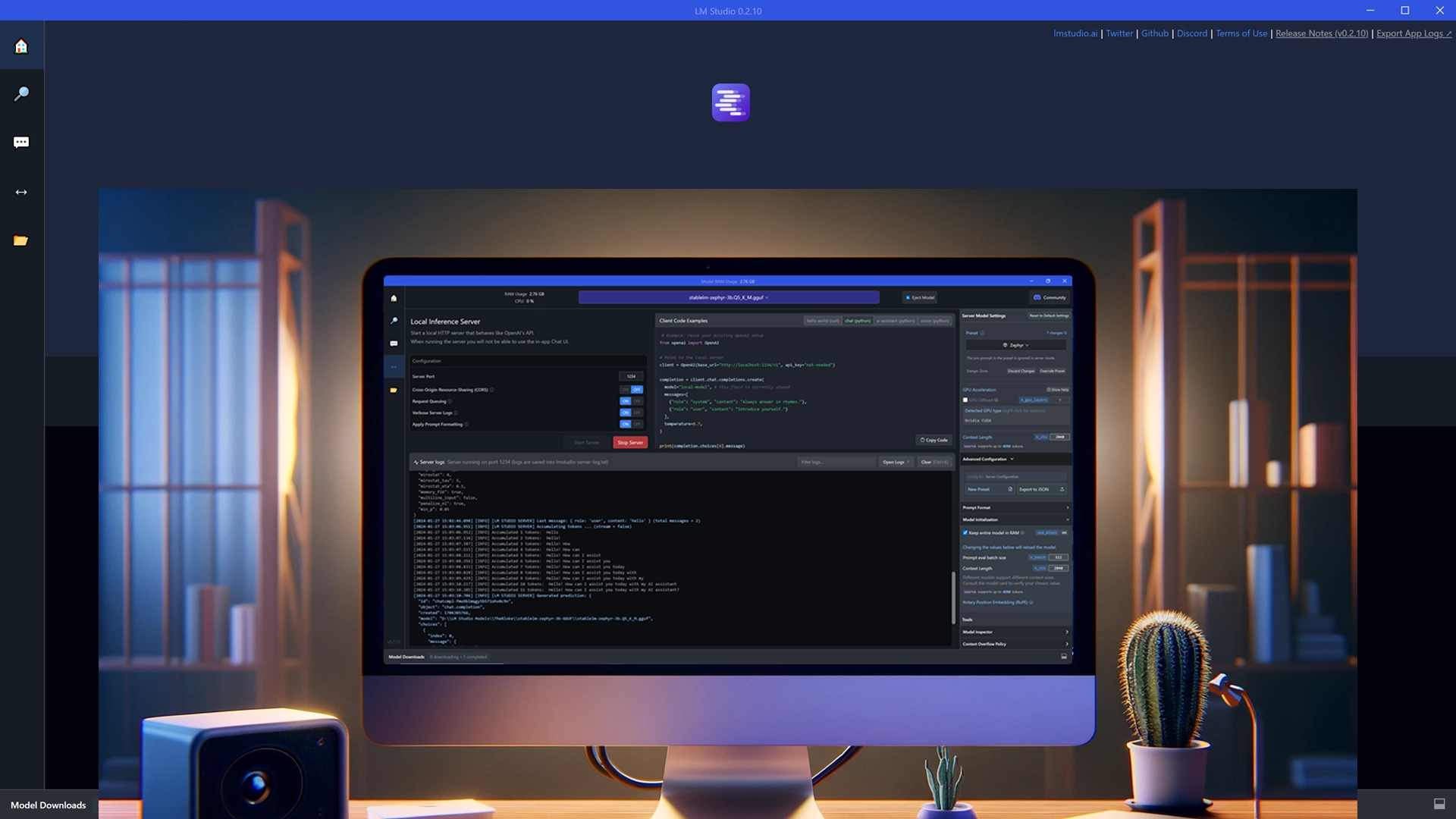
LM Studio UI
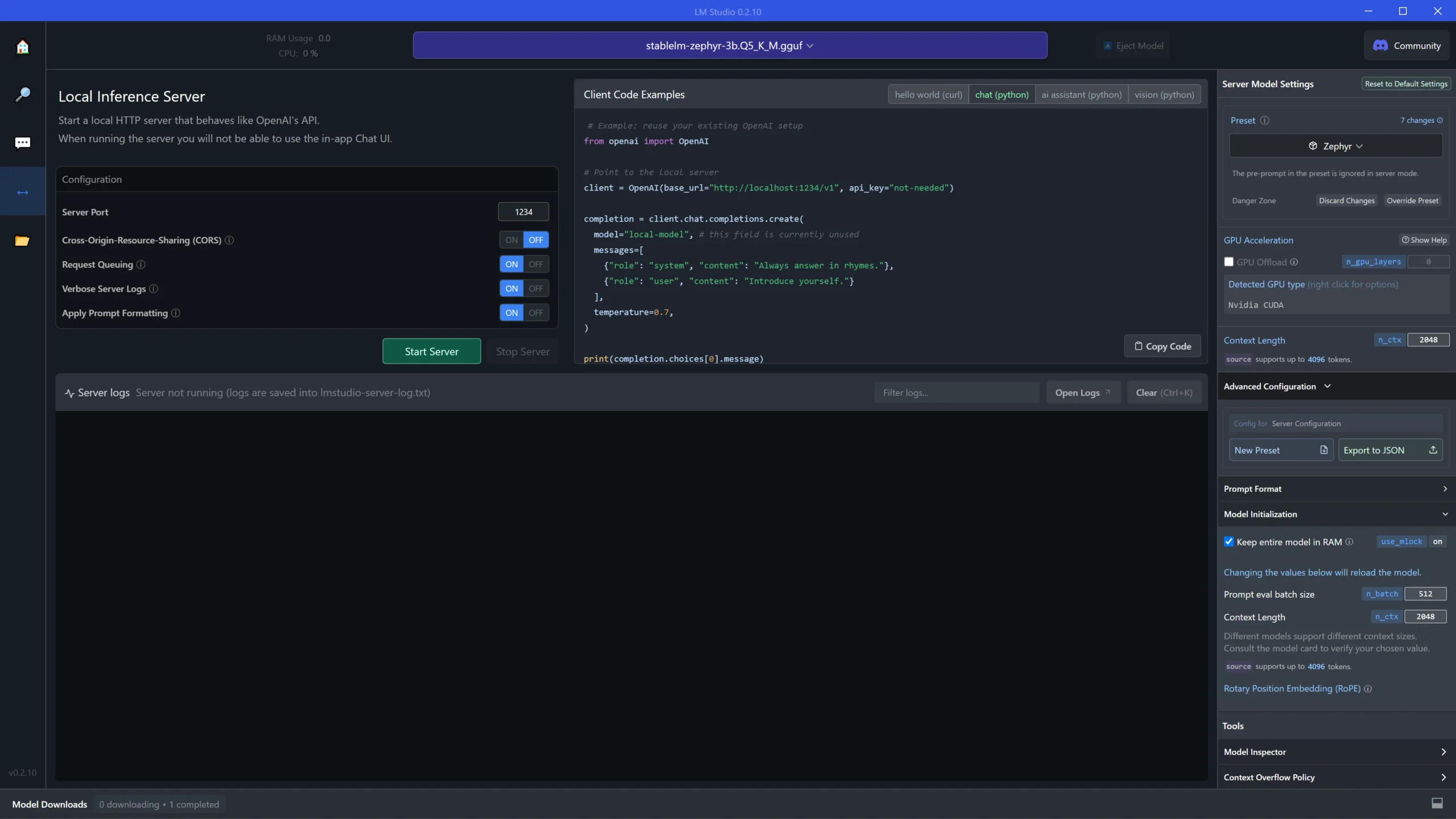
This is the LM Studio user interface. On the left are the controls for toggling options for the server such as choosing a server port, turning CORS on or off, request queuing, verbose server logs, whether or not to apply prompt formatting and starting and stopping the server. The middle panel is where you can get code snippets to run the models. In the right panel are some other parameters that normally work in the Chat UI but may not be available while running the local server. The big panel at the bottom left is where the server logs appear. This is where you can see all of the model and server activity and even observe how models generate responses.
LM Studio Local Inference Server Page
Why Run a Local Server:
Choosing to run a local server for your LLM interactions offers distinct advantages:
- Privacy: Keep all your data local, a crucial aspect for handling sensitive information.
- Customizability: Tailor the LLMs to specific tasks or domains to suit your unique needs.

Challenges and Solutions
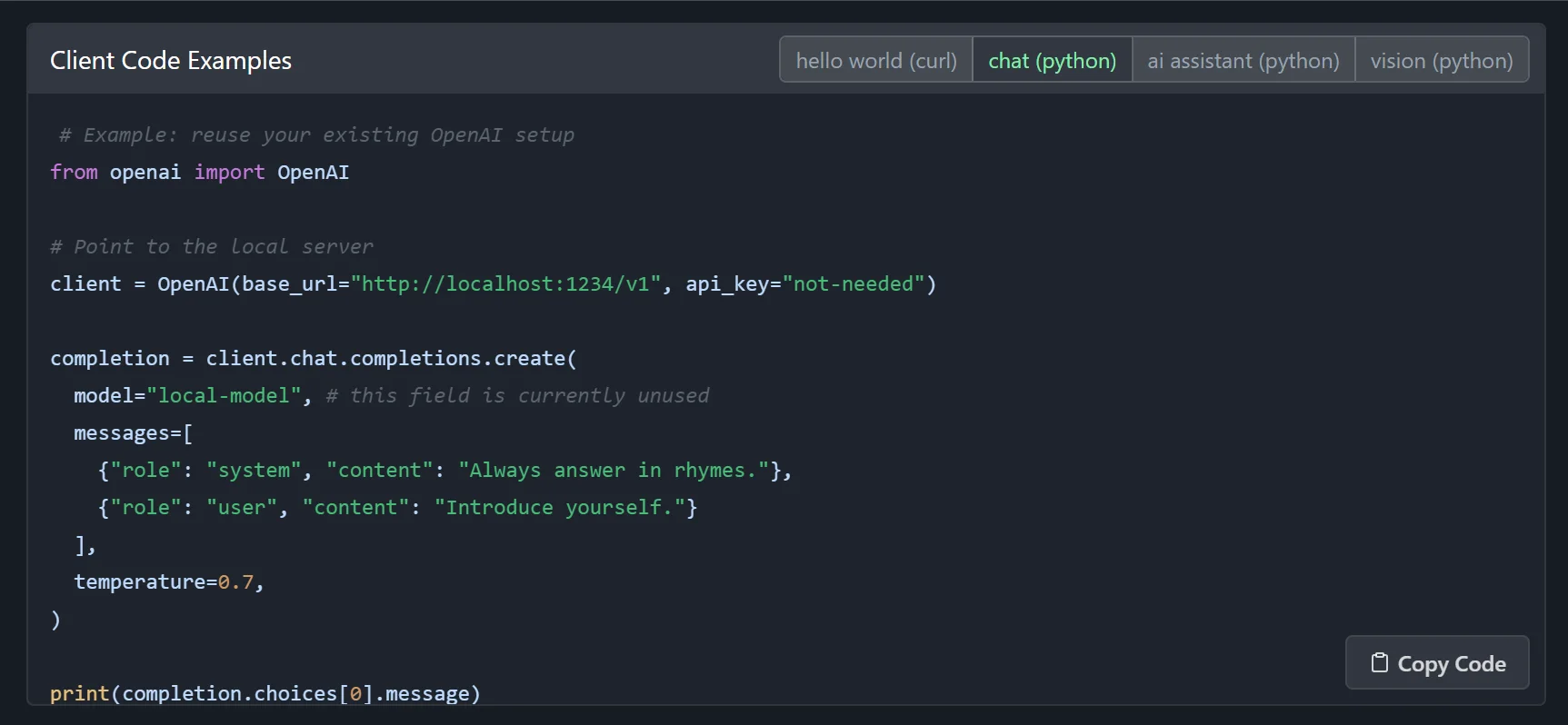
Initially, the provided code for running a multi-turn chat wasn't functioning correctly. I created a new Python file, lmstudio_fix.py, and attempted various modifications.
# Replace this snippet
from openai import OpenAI

# Replace this snippet
client = OpenAI...

# Replace this snippet
completion = client.chat.completions...
Collaborating with GPT-4 for Code Fixes
I sought GPT-4's assistance to revise the code while retaining its structure. GPT-4's revisions included different methods and removal of problematic parts. I had intermittent trouble with this file. If it doesn't work , then use the final version, "lmst_ext.py"
import openai

# Set the base URL and API key for the OpenAI client
openai.api_base = "http://localhost:1234/v1"
openai.api_key = "not-needed"

# Create a chat completion
completion = openai.ChatCompletion.create(
    model="local-model",  # this field is currently unused
    messages=[
        {"role": "system", "content": "Always answer in rhymes."},
        {"role": "user", "content": "Introduce yourself."}
    ],
    temperature=0.7,
)

# Print the chatbot's response
print(completion.choices[0].message.content)
Implementation and Testing
I then tested the modified code. Initially, the AI model was giving rhyming responses due to previous prompts. Despite some humorous missteps, I could successfully interact with the AI.
Enhancing with System Messages
I wanted to add system messages similar to GPT-4's custom instructions. So, I developed an inline method of incorporating these messages directly into the Python code.
Externalizing System Messages
Seeking a cleaner approach, I externalized the system messages. GPT-4 helped create a script that referenced an external file for system messages, offering more flexibility.
The Final Code: lmst_ext.py
import openai

# Configuration for OpenAI API
class OpenAIConfig:
    def __init__(self):
        self.base_url = "http://localhost:1234/v1"
        self.api_type = "open_ai"
        self.api_key = "not-needed"

# Function to read file content.
# This setup allows your script to dynamically
# read the system message from the system_message.txt file, making it easy to update
# the system message without changing the script's code.
def read_file_content(file_path):
    try:
        with open(file_path, "r") as file:
            return file.read().strip()
    except FileNotFoundError:
        print(f"File not found: {file_path}")
        return None

# Function to initiate conversation with the local-model and establishes roles and where the instructions come from.
def initiate_conversation(input_text, system_message):
    response = openai.ChatCompletion.create(
        model="local-model",
        messages=[
            {"role": "system", "content": system_message},
            {"role": "user", "content": input_text}
        ],
        temperature=0.7,
    )
    return response.choices[0].message.content.strip()

def main():
    # Instantiate configuration
    config = OpenAIConfig()
    openai.api_base = config.base_url
    openai.api_key = config.api_key

    # Read system message from file
    system_message = read_file_content("system_message.txt")
    if system_message is None:
        return

    # Conversation loop
    while True:
        user_input = input("User: ")
        if user_input.lower() in ['exit', 'bye', 'end']:
            print("Exiting the conversation.")
            break

        model_response = initiate_conversation(user_input, system_message)
        print("Model Response: ", model_response)

if __name__ == "__main__":
    main()
Final Thoughts and Resources
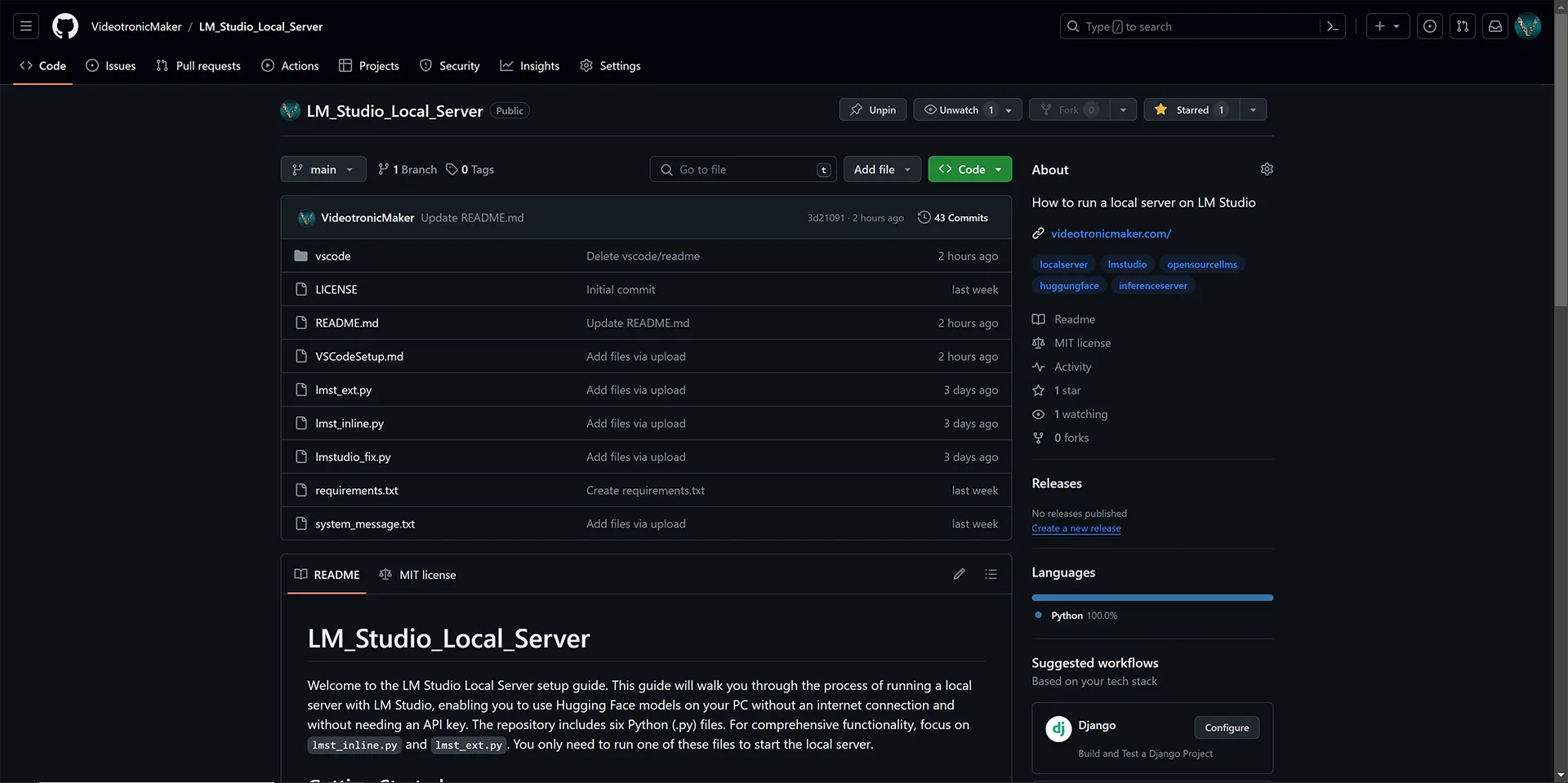
This journey with LM Studio has been enlightening. I've prepared several versions of the Python scripts, each with unique features, and they are available on my GitHub. A special thanks to Prompt Engineer on YouTube, whose initial guidance was invaluable. Please consider following me on GitHub.
Bonus Code
# Import necessary libraries for the script.

import openai
# Employed to interact with llms.

import os
# Provides a way of using operating system dependent functionality like reading or writing to a file system, fetching environment variables, etc.

import logging
# Used to log messages for a library or application. Helps in debugging and understanding the flow of the program, especially during development and maintenance.

def read_file_content(file_path):
    """
    Reads and returns the content of a file specified by its path.

    This function attempts to open and read the content of the file located at 'file_path'.
    If the file is successfully opened, its content is returned as a string.
    In case the file is not found at the given path, the function logs an error message
    indicating the file was not found and returns None.

    Parameters:
    file_path (str): The path to the file that needs to be read.

    Returns:
    str or None: The content of the file as a string if the file is found, otherwise None.
    """
    try:
        with open(file_path, "r") as file:
            return file.read()
    except FileNotFoundError:
        logging.error(f"File not found: {file_path}")
        return None

def chat_with_llm(human_input, system_message):
    """
    Generates a response from the LLM based on the user's input and a predefined system message.

    This function constructs a conversation structure for the LLM, comprising a system message
    and the user's input. It then sends this structure to the LLM (specified as 'local-model') for processing.
    The function also sets a fixed temperature for the model's responses to control randomness.
    If the LLM successfully generates a response, it is returned after being stripped of leading and trailing spaces.
    In case of any exceptions during the process, an error is logged, and a user-friendly error message is returned.

    Parameters:
    human_input (str): The user's input message to be sent to the LLM.
    system_message (str): Predefined instructions or context for the LLM.

    Returns:
    str: The LLM's response or an error message in case of an exception.
    """
    try:
        messages = [{"role": "system", "content": system_message},
                    {"role": "user", "content": human_input}]

        temperature=0.7,

        response = openai.ChatCompletion.create(
            model="local-model",
            messages=messages
        )


        return response.choices[0].message.content.strip()
    except Exception as e:
        logging.error(f"An error occurred: {e}")
        return "Sorry, an error occurred while processing your request."

def user_llm_conversation(system_message):
    """
    Initiates and manages a conversation loop with a chatbot.

    This function engages the user in a conversation with the chatbot. The conversation
    continues indefinitely until the user inputs a termination keyword ('quit', 'exit', or 'bye').
    Each user input is passed to the 'chat_with_llm' function along with a predefined system message
    to generate a response from the chatbot, which is then printed.

    Parameters:
    system_message (str): A predefined system message used to provide context for the chatbot.

    The loop runs continuously, taking user input and printing the chatbot's response until the user
    decides to exit the conversation.
    """
    while True:
        human_input = input("Human: ").strip()

        if human_input.lower() in ["quit", "exit", "bye"]:
            break

        response = chat_with_llm(human_input, system_message)
        print("Chatbot: ", response)

if __name__ == "__main__":
    """
    Main execution block to initialize and run the chatbot conversation.

    This block sets up logging, loads necessary API configurations, and reads the system message
    from a text file. If the system message is successfully read, it initiates the chatbot conversation;
    otherwise, it informs the user about the missing system message file.
    """
    logging.basicConfig(level=logging.INFO)

    # Load API configuration
    openai.api_base = os.getenv("OPENAI_API_BASE", "http://localhost:1234/v1")
    openai.api_key = os.getenv("OPENAI_API_KEY", "not-needed")

    # Read system message from file
    system_message = read_file_content("system_message.txt")

    if system_message:
        user_llm_conversation(system_message)
    else:
        print("System message not found. Please check the 'system_message.txt' file.")
Your Experience & Insights
I put these guides together to share what I'm learning, and your feedback helps me improve them. Whether it's a specific question, a tip you picked up, or something that tripped you up, lay it on me.
Fill out the form to the right, and let's keep learning.
Have questions on this LM Studio tutorial, ran into a model download hurdle, or have thoughts on local inference? Reach out directly to our community intake: