[VISION_LOCK // CONF: 0.996]
0mm100mm200mm300mm400mm500mm600mm700mm800mm900mm1000mm1100mm1200mm
0100200300400500600700800900

VTM STUDIO™ — ELECTRONICS, ROBOTICS & PHYSICAL AI WORKSTATION CODERS HAVE A STUDIO. ARTISTS HAVE A STUDIO. NOW MAKERS HAVE A STUDIO.

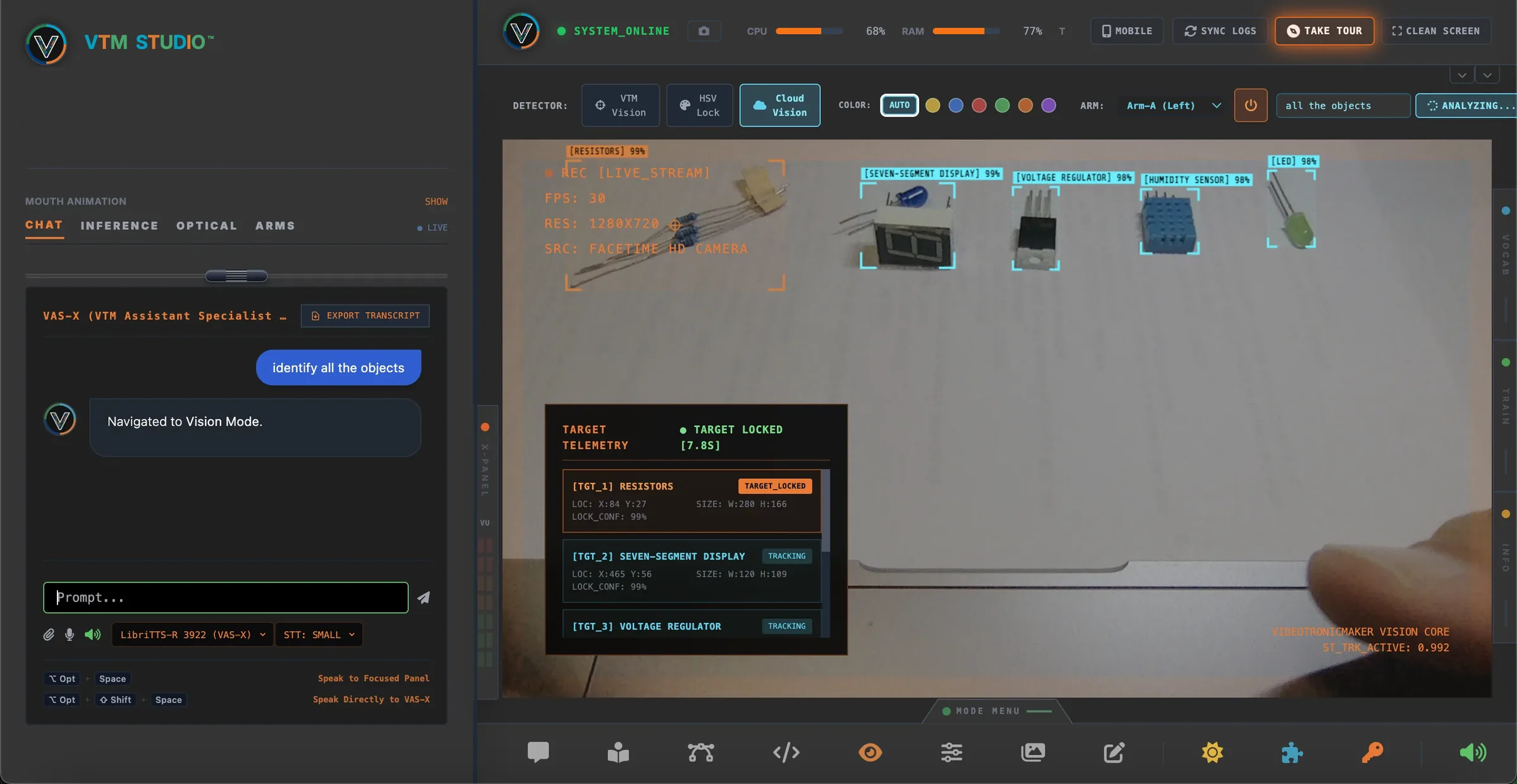
VISION MODE + VAS-X
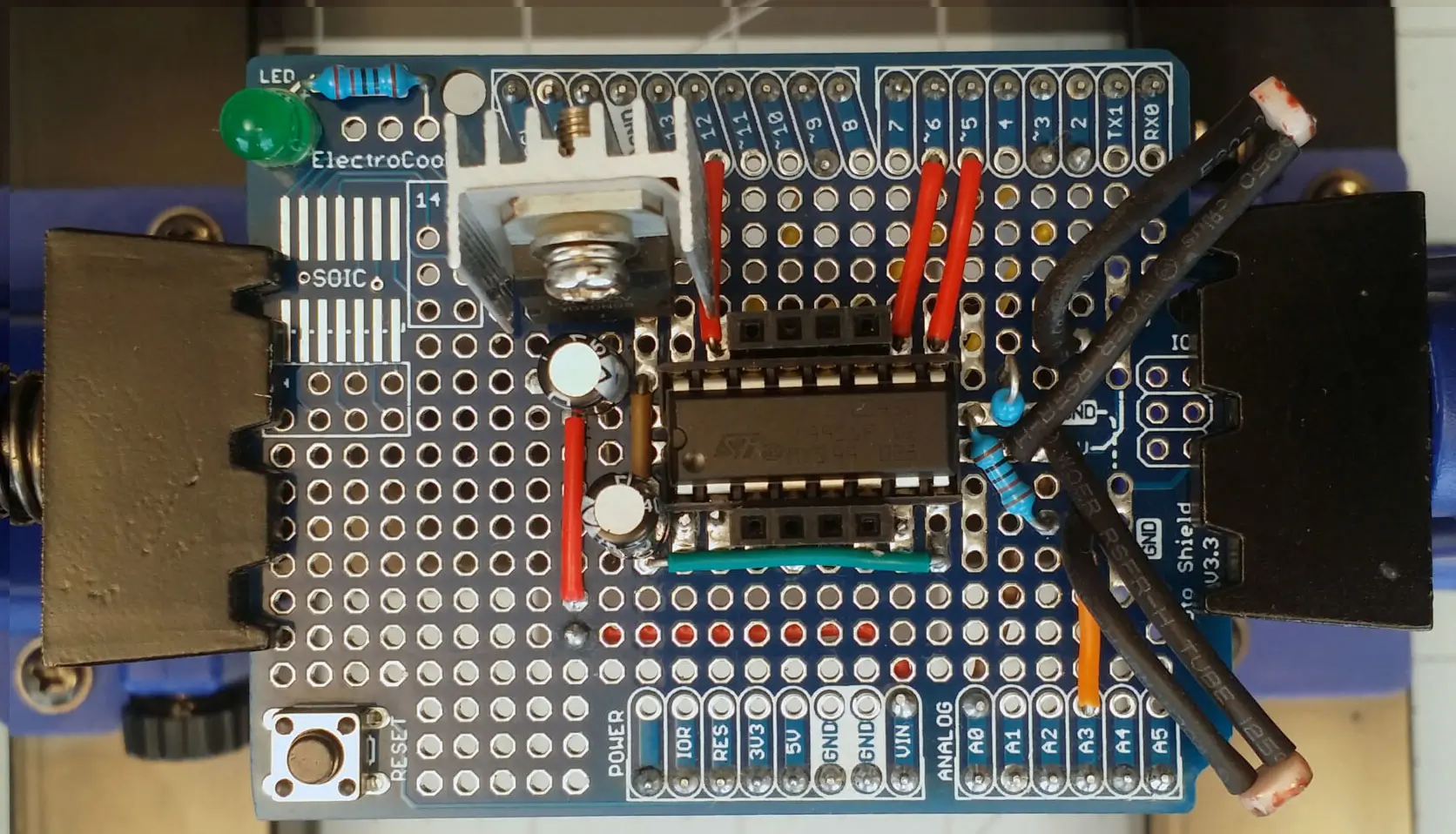
VTM Studio Vision Mode and VAS-X Content-Aware Sidebar AI Locking onto Hardware Components
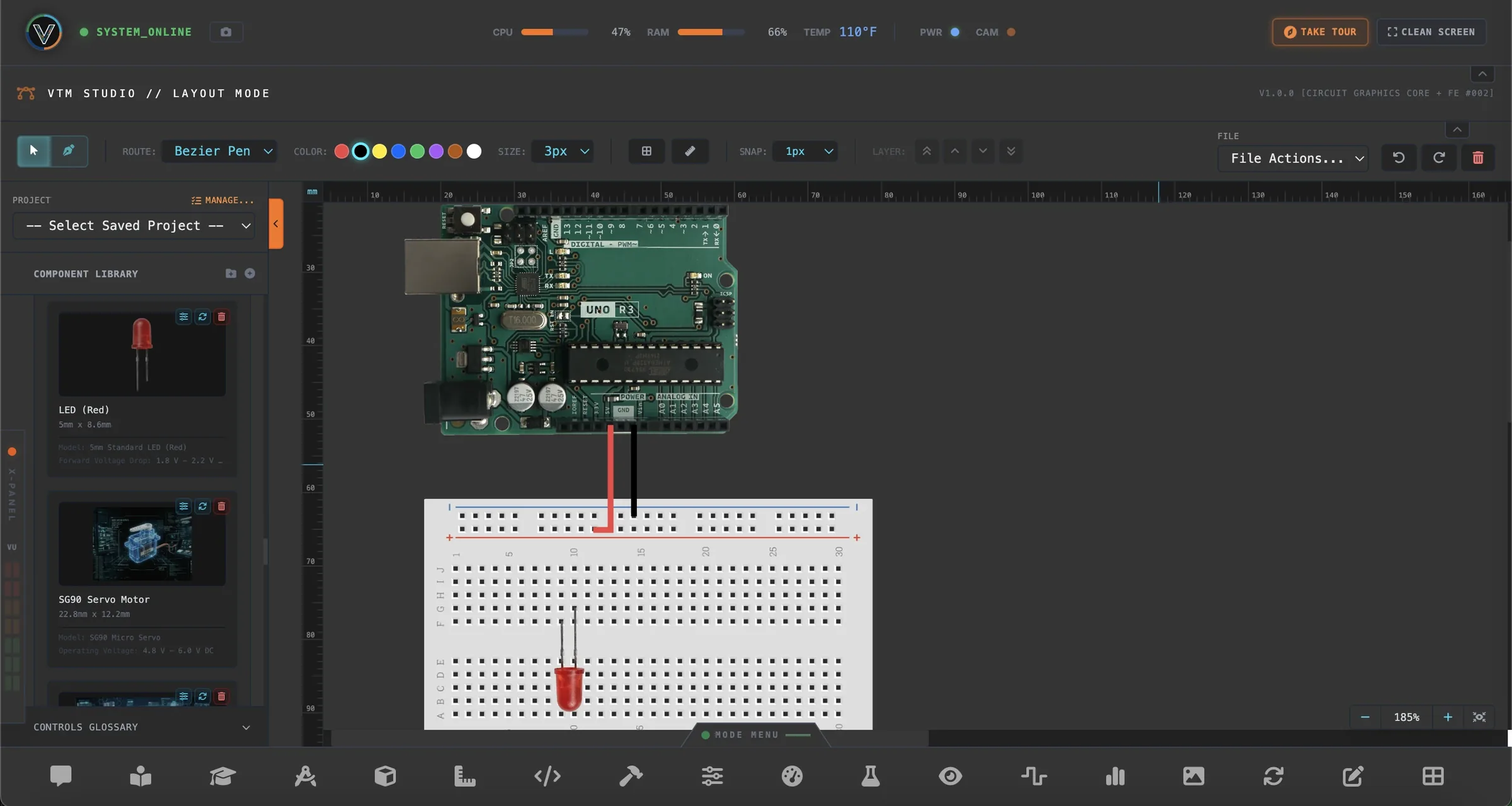
VTM Studio Layout Mode — Arduino UNO R3, Breadboard and Component Library
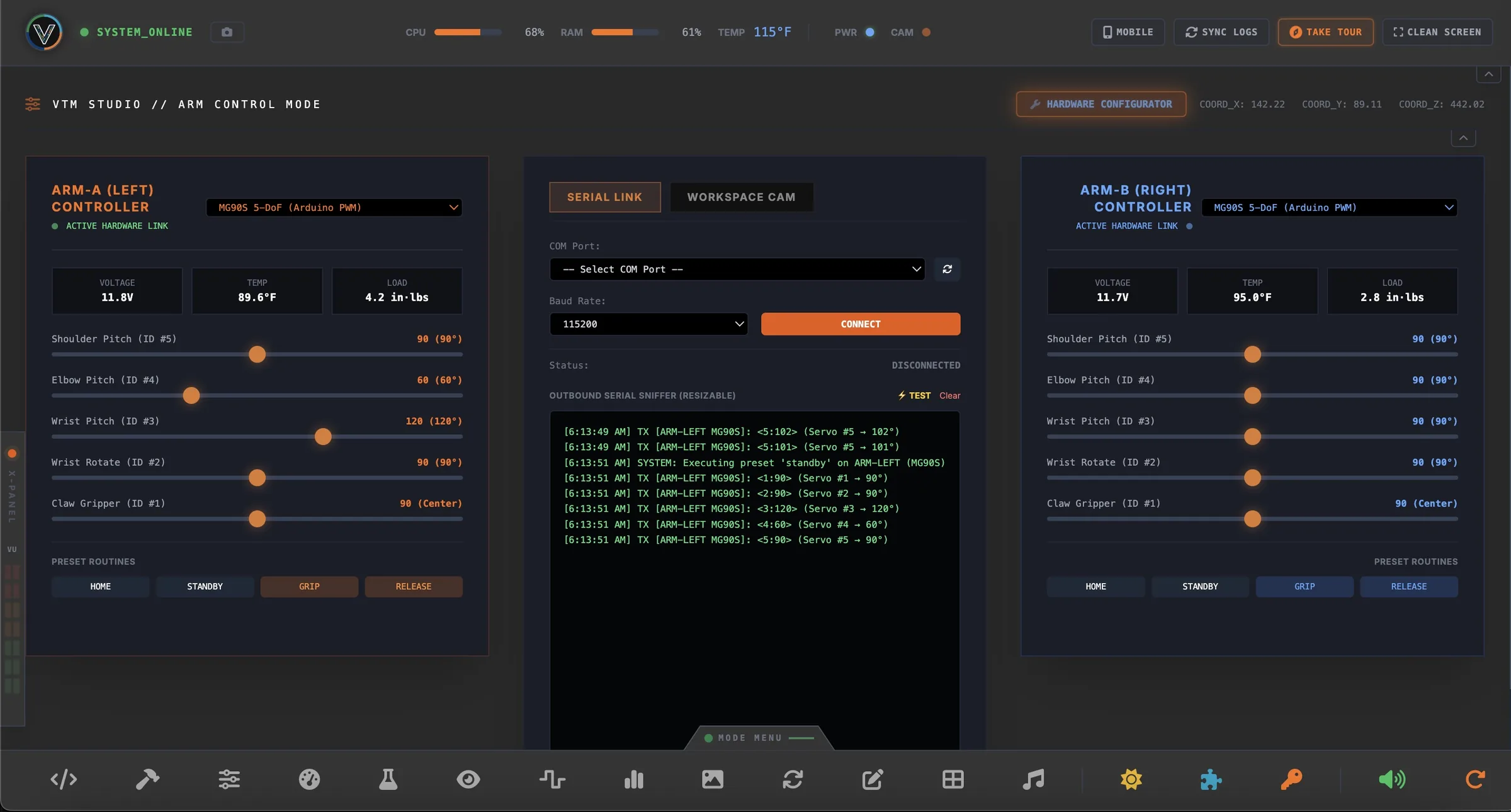
VTM Studio Arm Control Mode — Dual 6-DoF Robotic Arm Controller and BYOH Hardware Dropdown
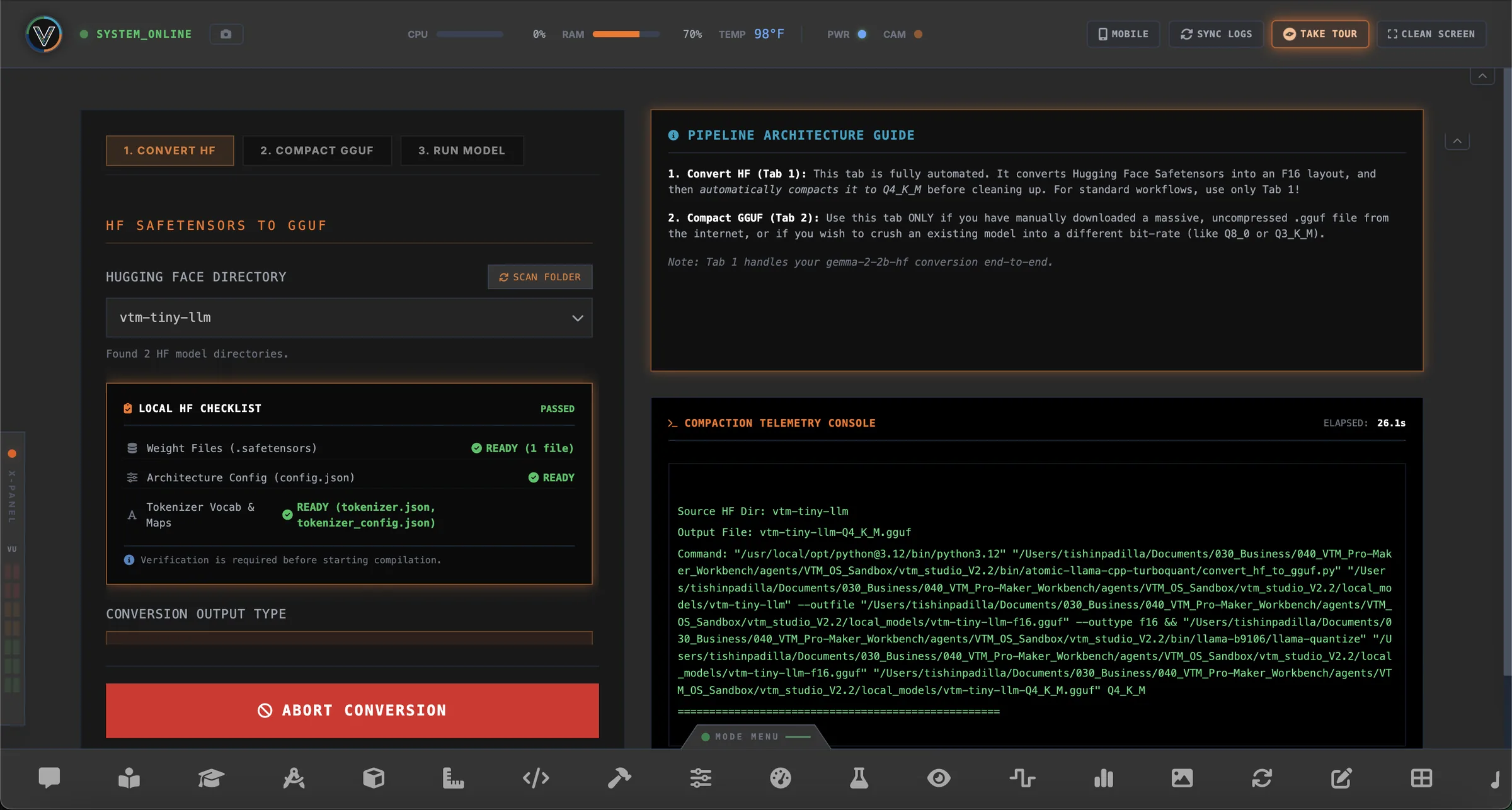
VTM Studio Model Forge Mode — Safetensors to GGUF Quantization Compiler
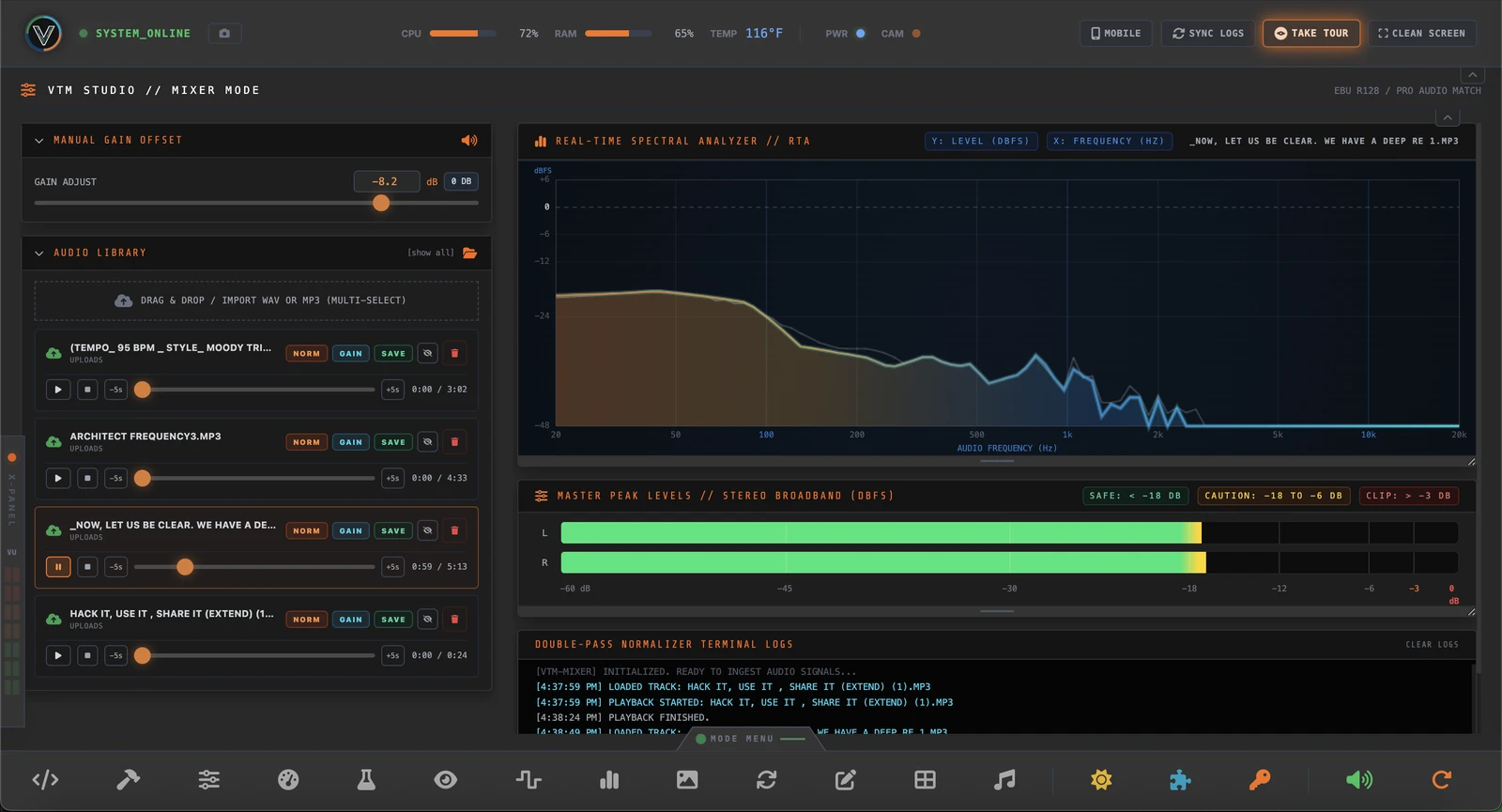
VTM Studio Mixer Mode — Real-Time Spectral Analyzer, Gain Mastering and Stereo Peak VU Meters
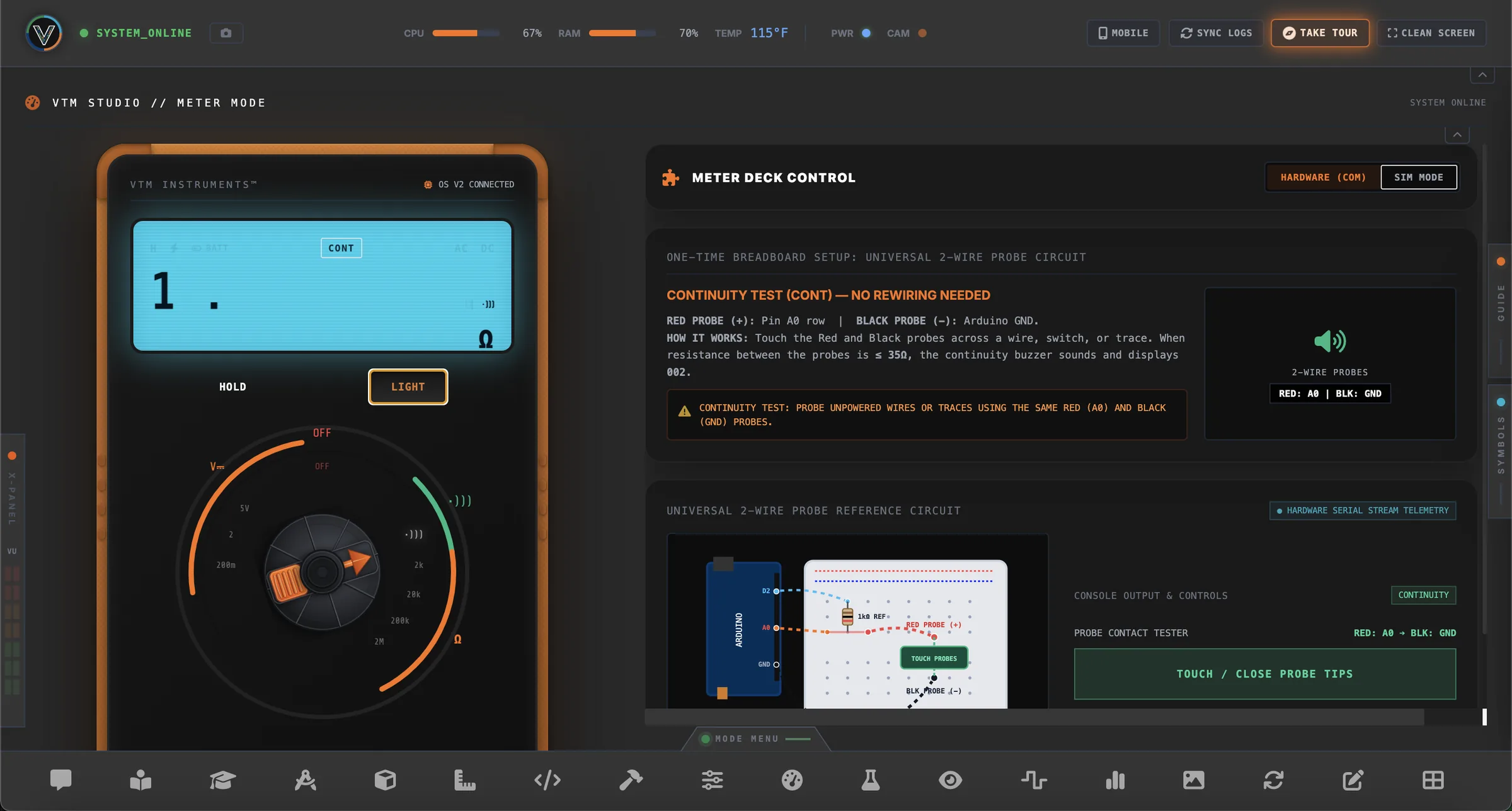
VTM Studio Meter Mode — Digital Multimeter LCD, Rotary Dial and 2-Wire Probe Reference Circuit

VTM STUDIO™

All the tools you need to prototype, test, and document your build in one place—bringing together microcontroller coding, live hardware instrumentation, robotic control, layout and media design, and built-in AI assistants in a single desktop workspace.

Physical Computing
Physical AI
Prototyping
HARDWARE, CODE & AI // ACTUAL MODE SCREENSHOTS

VTM STUDIO MODES

Inspect the actual workstation modes—from live hardware sensor gauges and the built-in C++ IDE to local GGUF model quantization and the digital multimeter. Below are 4 modes out of 20. Mag Mode explains more and can be seen in the right tab (MAG MODE →) or the magazine menu item (02.MAG), and all modes are listed in Complete Workbench Mode Architecture → on the Store page.

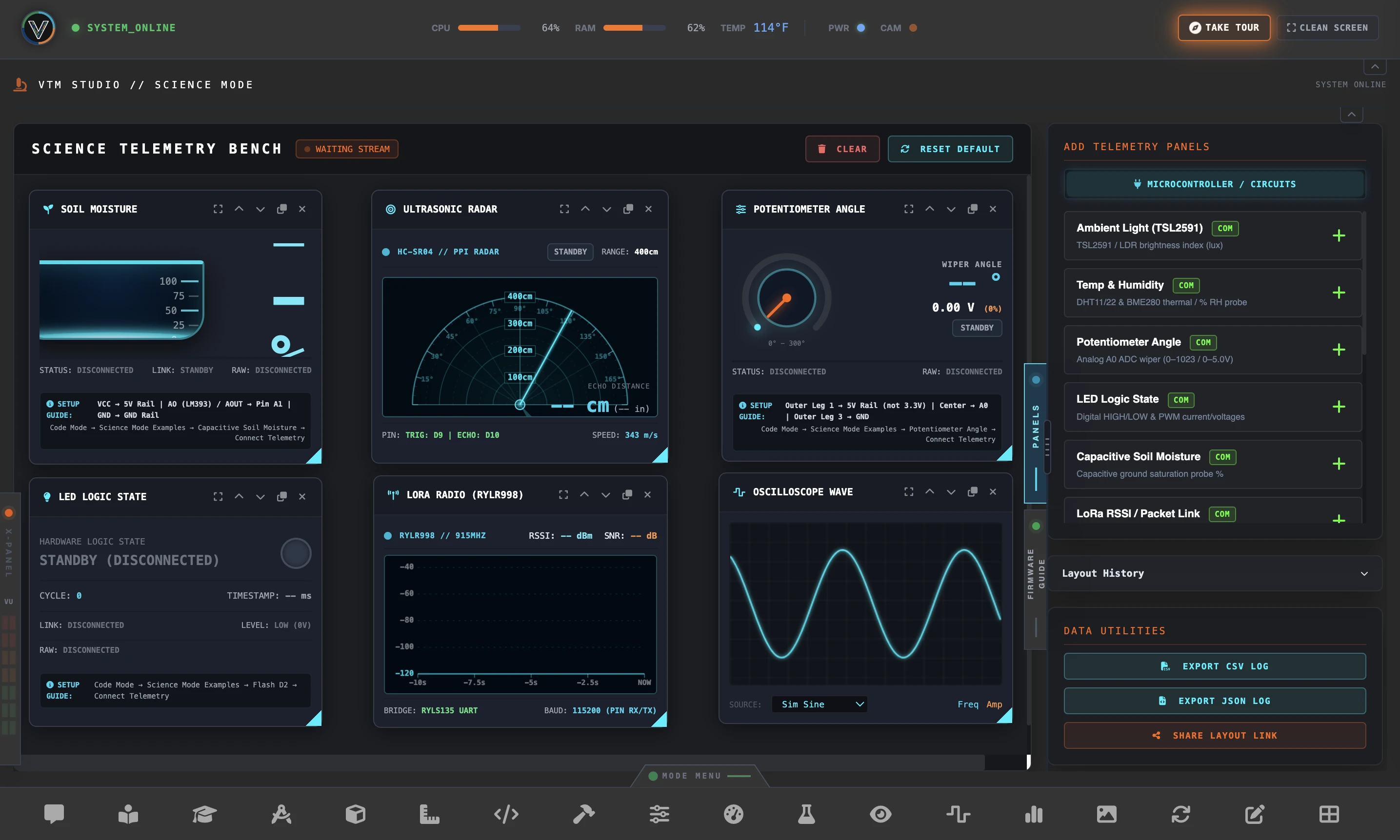
VTM Studio Science Mode Telemetry Gauges
01 // SCIENCE MODE

LIVE SENSOR TELEMETRY & INSTRUMENT DASHBOARD

Visualize Microcontroller & Mobile Device Sensors in Real Time

Plug in your microcontroller over USB to monitor temperature and humidity, ambient light (lux), ultrasonic distance radar, soil moisture, potentiometer angle, and LoRa signal strength—or connect your phone or tablet to stream its built-in sensors (accelerometer, gyroscope, compass, and GPS) directly into live dials, gauges, and real-time telemetry graphs.

MICROCONTROLLER SENSORS • MOBILE PHONE SENSORS • REAL-TIME GRAPHS & CSV EXPORT
BUILT-IN WIRING GUIDES ON EVERY PANEL • LIVE GAUGES & CHARTS MAKER PRO ($19.99) →
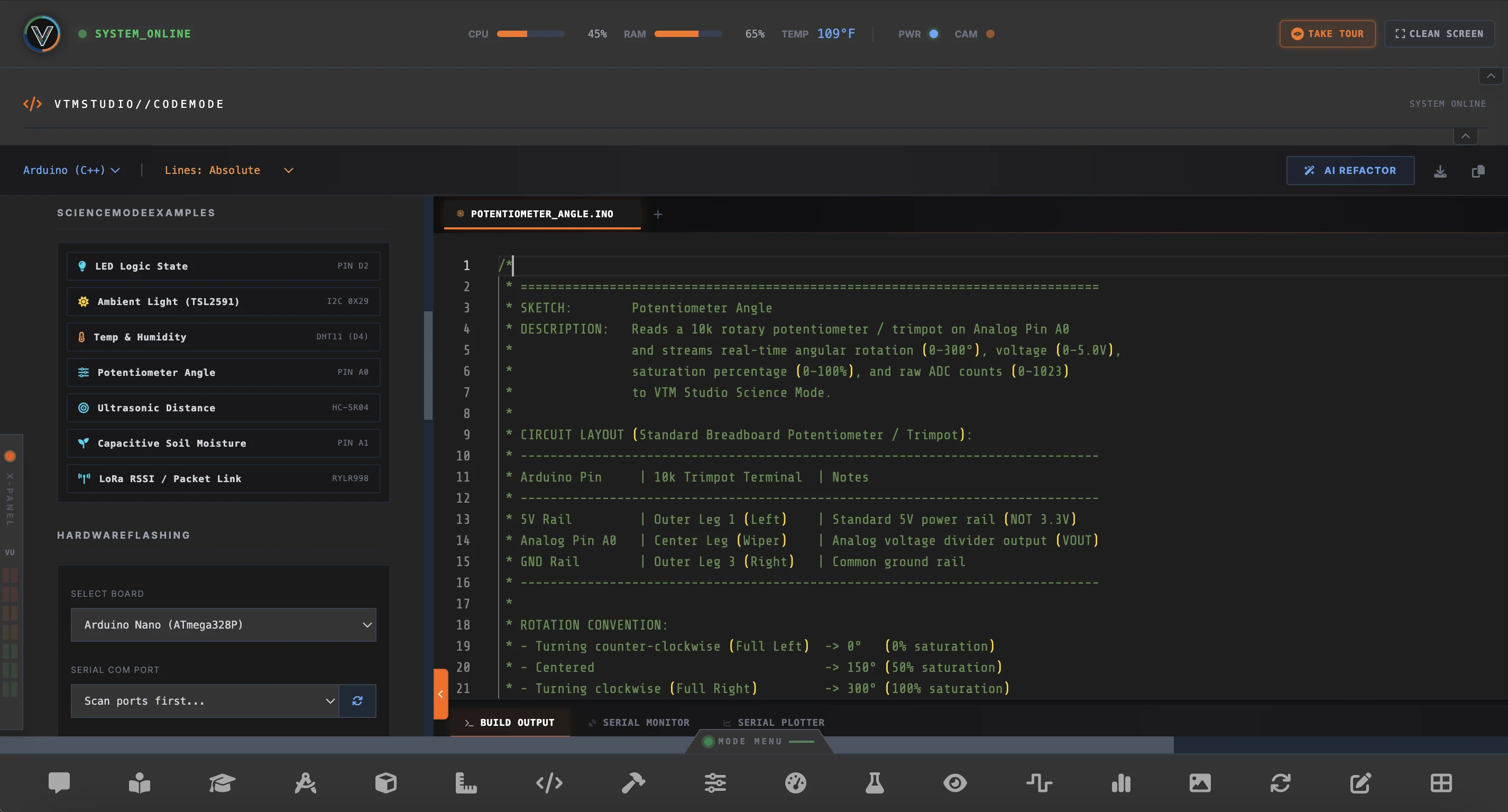
VTM Studio Code Mode and Serial Telemetry Workflow
02 // CODE MODE

BUILT-IN ARDUINO & PYTHON IDE

Write Code, Verify, and Flash Boards Without Leaving Your Workspace

Write C++ and Python across multi-file project tabs, use AI Refactor to clean up code, or load ready-to-run sensor sketches in one click. Select your board (Arduino Uno, Nano, Mega, UNO Q, ESP32, or Raspberry Pi Pico), verify and flash over USB, and view live output in the serial monitor and waveform plotter.

WRITE C++ & PYTHON • VERIFY & FLASH TO BOARD • EXAMPLE SKETCHES • AI REFACTOR
MULTI-TAB CODE EDITOR • SERIAL MONITOR & WAVEFORM PLOTTER MAKER PACK ($9.99) →
VTM Studio Model Forge Quantization Compiler
03 // MODEL FORGE MODE

DOWNLOAD & COMPRESS AI MODELS TO RUN OFFLINE

Convert Open-Source Hugging Face Models into Compact Local AI

Download open-source AI models directly from Hugging Face, convert them into GGUF format, and compress them down to 4-bit (Q4) or 8-bit (Q8) so they run locally on your own computer—giving you private, offline AI with zero monthly cloud fees.

HUGGING FACE DOWNLOADER • GGUF CONVERTER • 4-BIT & 8-BIT MODEL COMPRESSION
RUN LOCAL AI OFFLINE • ZERO MONTHLY FEES PHYSICAL AI PRO ($39.99) →
VTM Studio Meter Mode — Digital Multimeter LCD, Rotary Selector Dial, and Universal 2-Wire Probe Reference Circuit
04 // METER MODE

DIGITAL MULTIMETER & BREADBOARD PROBE

Measure DC Voltage, Resistance & Continuity with Your Microcontroller

Turn your Arduino into a digital multimeter right on your screen. Flash the included Meter Mode sketch, follow the on-screen breadboard diagram to connect two probe wires, and test DC voltage, resistor values (Ω), and audible continuity on a backlit digital LCD display with a rotary selector dial.

DC VOLTAGE • RESISTANCE (Ω) • AUDIBLE CONTINUITY BUZZER • ON-SCREEN WIRING GUIDE
BACKLIT DIGITAL LCD • ROTARY DIAL • ARDUINO PROBE MAKER PRO ($19.99) →
LAUNCH SALE • SAVE 66% ON EVERY PACK // ONE-TIME PURCHASE · NO SUBSCRIPTIONS · LICENSE GOOD FOR 2 DEVICES
◄380px►
◄380px►
◄380px►
TIER 1 • SAVE $20
TIER 1 // CORE WORKBENCH
$29.99 $9.99

Maker Pack

CORE MAKER WORKBENCH

AI Chat Companion & Code Editor, Pinout Reference & Project Spec Sheets, Illustrated Guide & Audio Tours, Local Camera Vision, Vector Graphic Studio, Photo Editor, and Maker Log.

Join Waitlist — Lock In $9.99 →
No Payment Info Required
TIER 2 • SAVE 66%
TIER 2 // PRO INSTRUMENTATION
$59.99 $19.99

Maker Pro Pack

HARDWARE & TELEMETRY SUITE

Everything in Maker Pack + Study Mode with ARC T - A & 17 Textbooks, Real Hardware 6-DoF Robot Arm Controller, Digital Multimeter Mode, and Live Sensor Telemetry Lab.

Join Waitlist — Lock In $19.99 →
No Payment Info Required
BEST VALUE • SAVE 66%
TIER 3 // EDGE AI COMPILER
$119.99 $39.99

Physical AI Pro Pack

COMPLETE PHYSICAL AI WORKSTATION

Everything in Maker Pro + VAS-X Sidebar AI Navigator, Offline Edge AI CPU Inference, Cloud Vision Frame Analysis, and Model Forge GGUF Quantization & Hugging Face weight compiler.

Join Waitlist — Lock In $39.99 →
No Payment Info Required

All-in-one prototyping... ...for the era of Physical AI.

Welcome, Tinkerer, to the frontier of Physical AI—the exciting convergence of physical computing, solid-state embedded hardware, and machine intelligence. The VTM Pro Maker Workbench™ unites hands-on tactile electronics with VTM Studio™, our integrated software operating environment designed to ignite the imagination of a new generation of creators, innovators, and educators. Paired with the P³™ (Physical Prototyping Platform™), whether you are an AI Native looking to break out of the flat screen into real-world mechanical action, or a Hardware Student wanting to unlock Local Inference (Edge AI) without drowning in compilation lag, this studio is your gateway.

This workbench inspires High School STEM Students with a tactile sandbox where cutting-edge electronics and machine learning become accessible milestones rather than distant hurdles. It serves College Students by bringing textbook theory to life, providing a high-fidelity physical playground to deploy real code into reality. For educators, this workspace spans the entire instructional spectrum. It equips High School Teachers with a turn-key physical framework for hands-on labs, while giving University Professors a multi-modal edge computing testbed for advanced robotics research. VTM is an open framework proving creators are no longer limited by what they don't know.

Just 5 years ago, pioneering a custom electronic system or programming an automated mechanism demanded years of specialized study in low-level assembly languages, advanced calculus, and complex circuit architecture. Frustrating syntax errors, confusing formulas, and institutional friction created formidable barriers to entry. Today, the electronics landscape has changed. In a matter of months,

solid-state innovation has swept past simple text generation, bypassed autonomous software agents, and collided directly with the era of Physical AI—where digital intelligence breaks out of the screen and takes physical form. Advancements in local computing and multimodal models have made hardware prototyping more approachable than ever. VTM Studio makes physical computing accessible to everyone—supporting hands-on learning right at your workstation as you work with microcontrollers, solid-state electronics, and embedded control.

VIDEOTRONICMAKER.COM // CALCULATORS, TUTORIALS & LABS

ON THIS SITE

Explore the online electronics calculators, board pinout reference, step-by-step hardware tutorials, and VideotronicMaker Labs below.

01 // FREE BROWSER UTILITIES (NO INSTALL REQUIRED)

Interactive Electronics Calculators & Reference Desk

LIVE INTERACTIVE TOOLS — TRY THEM RIGHT HERE

These are working calculators, not static screenshots—click the colored resistor stripes, type numbers into Ohm's Law, or click a schematic symbol below!

Go to All Online Tools Page →
◄412px►
◄560px►

RESISTOR COLOR CODE
Guide

● TRY: CLICK BANDS

Click any colored band below to change its value:

4-BAND: 4.7 kΩ ±5% 5-BAND: 10 kΩ ±1%

OHM'S LAW Calculator

● TRY: TYPE VALUES
Edit any box below to solve live: FULL SUITE →
V V = I * R
V = I * R | P = 113.6 mW

SCHEMATIC VIEWER

● TRY: CLICK SYMBOLS

Click a schematic symbol below to inspect its specs:

R1 · Fixed Resistor Click any symbol above to inspect specs.
ALL 58 →
↖ 3-CARD TEASER DESK // 6 ADDITIONAL TOOLS & PINOUT DIAGRAMS IN FULL SUITE OPEN ALL ONLINE CALCULATORS & REFERENCE DESKS →

Every tool a maker needs. In one workspace, without the tab sprawl.

When you're building physical electronics at the bench, the last thing you need is twenty browser tabs, separate calculator windows, and disconnected pinout PDFs competing for screen space. Jumping between an Ohm's Law solver, a resistor decoder, and a separate serial monitor breaks your focus right in the middle of wiring a circuit.

VTM Studio was engineered to eliminate that friction. Instead of switching between separate web utilities and standalone serial windows, it brings essential maker tools together in one studio—giving you instant circuit math, live serial telemetry, robotics kinematics, and CAD drafting without ever leaving your primary workspace.

Here on this site, you get an active taste of that workflow. The interactive desk above is just a sample—our online tools suite gives you dedicated electronics calculators, wire gauge tables, and schematic references completely free in your browser with zero installs or account barriers.

Inside the native desktop workstation, those tools connect directly to real hardware—streaming live sensor data, driving 6-DOF robotic arms, and compiling edge models in real time. Use these free online calculators for fast bench answers, and step up to VTM Studio for the complete integrated workbench.

◄1180px►
VideotronicMaker
LABS

Explore real-world projects and insights from VideotronicMaker Labs. Discover how makers are building, coding, and mastering physical computing one experiment at a time.

David Antwi

David Antwi's Lab

Discover the origin story of a self-taught builder who went from building electronics at home to designing autonomous rovers and soft robots at Yale University.

MAG MODE →