I2C 1602 LCD Display & Custom Character Bitmask Twin
Driving a parallel 16-pin HD44780 LCD consumes 6 precious GPIO pins. By soldering a PCF8574 I2C backpack, the entire display is controlled using just 2 analog pins (A4/SDA & A5/SCL). Use this live digital twin to test 16x2 text, calculate solder jumper addresses (0x27 vs 0x3F), and design custom 5x8 font bitmasks.
Bench Parts & Hardware Components
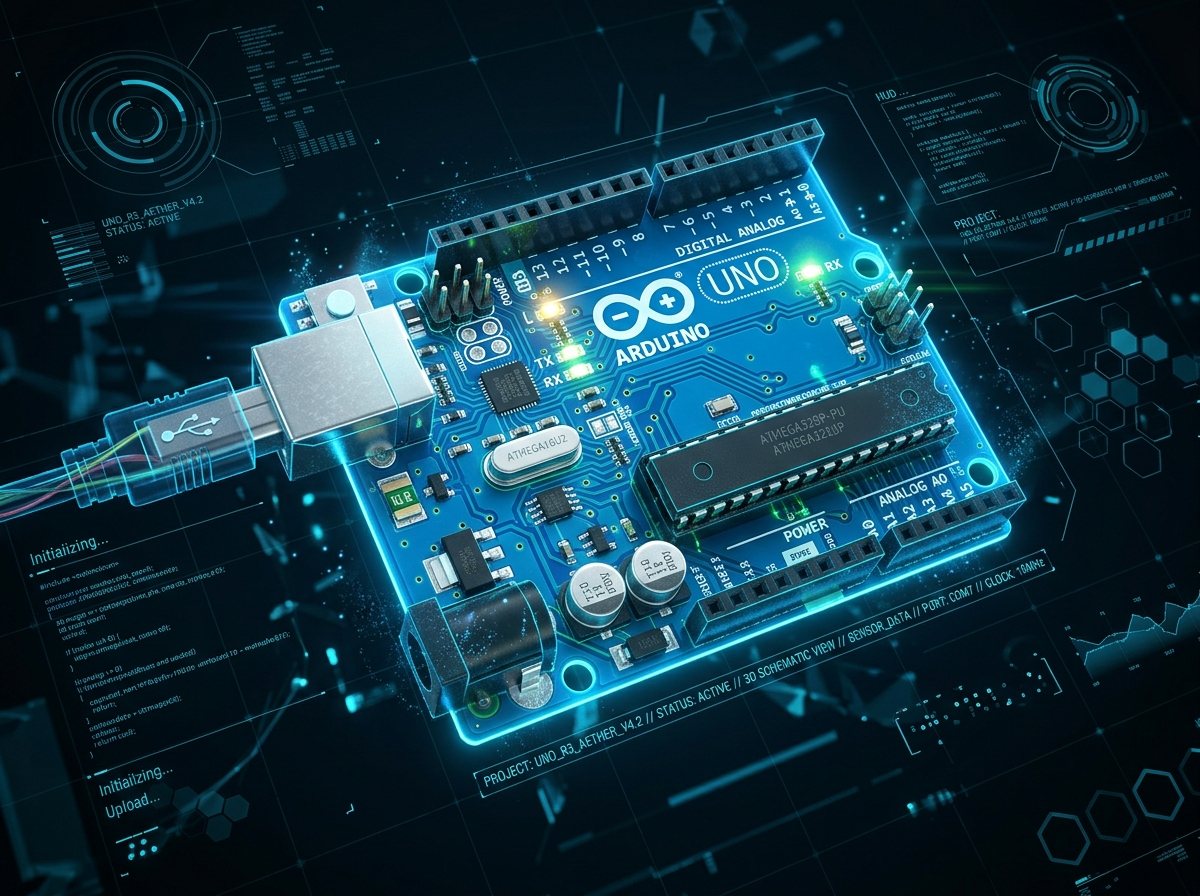 MCU
MCU
Arduino Uno R3
Provides hardware 100kHz I2C clock on Analog Pin 5 (SCL) and data line on Analog Pin 4 (SDA).
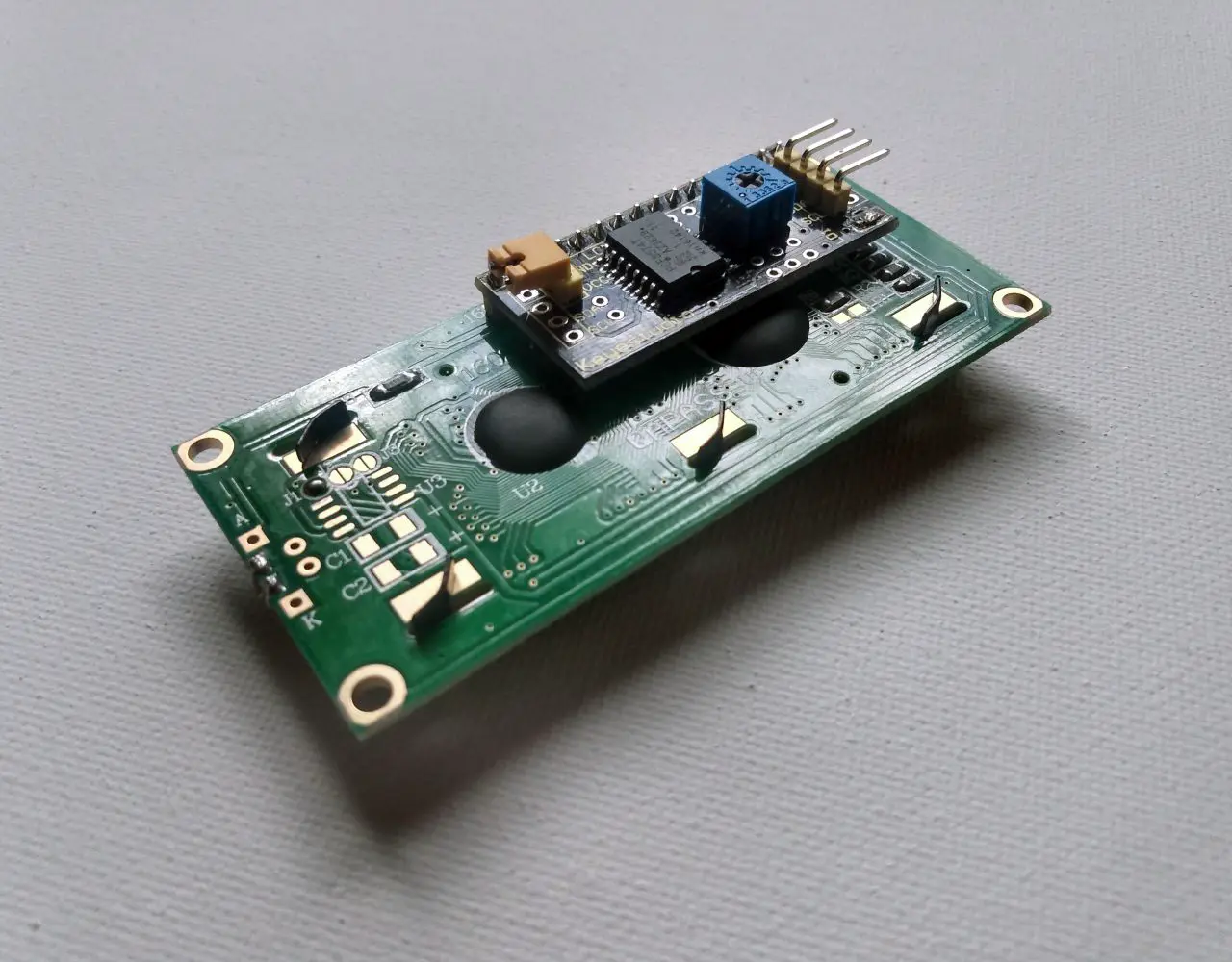 DISPLAY
1602 HD44780 LCD
16 character × 2 row dot-matrix LCD. Contains 8 custom CGRAM character slots (5×8 pixels each).
PCF8574 I2C Backpack
Bridges the 16-pin parallel LCD bus to 2-wire I2C. Features 3 address solder jumpers (A0, A1, A2).
10K Contrast Trimpot
Blue precision rotary trimpot on the backpack. Adjusts VO (Pin 3) contrast voltage so pixels become crisp.
| COMPONENT | QTY | FUNCTION IN CIRCUIT | ENGINEERING NOTE |
|---|---|---|---|
| Arduino Uno R3 / Q | 1 | Main Controller | Pin A4 = SDA, Pin A5 = SCL; requires standard 5V USB power |
| 1602 HD44780 LCD Display | 1 | Alphanumeric Output | 16×2 character grid; displays ASCII text and custom CGRAM glyphs |
| PCF8574 I2C Serial Backpack | 1 | Parallel-to-I2C Converter | Soldered to 16 pins of LCD; reduces wiring harness to VCC, GND, SDA, SCL |
| Female-to-Male Dupont Cables | 4 | Signal & Power Harness | 4-pin harness connecting backpack header directly to Arduino headers |
Two major pitfalls prevent LCD modules from displaying text:
1. IC Chip Identification: A PCF8574T chip defaults to address 0x27. A PCF8574AT chip defaults to address 0x3F. Using the wrong address causes silent I2C communication timeout errors.
2. Contrast Trimpot: If the backlight turns on but no text appears (or solid white block squares fill row 1), rotate the blue potentiometer on the backpack with a small Phillips screwdriver until characters snap into focus.
Interactive 1602 LCD & Address Twin
Click pixels below to design a custom glyph (battery gauge, heart, bell, wifi). Generates Arduino C++ bitmask code instantly.
byte customChar[8] = {
  0b00000,
  0b01010,
  0b11111,
  0b11111,
  0b01110,
  0b00100,
  0b00000,
  0b00000
};
Verified Arduino C++ Firmware Sketch
LiquidCrystal I2C by Frank de Brabander via the Arduino Library Manager or VTM Studio Code Mode.
/*
 * VideotronicMaker — I2C 1602 LCD Alphanumeric Display & Custom CGRAM Twin
 * Hardware: Arduino Uno R3 / Q + PCF8574 I2C Backpack + HD44780 LCD
 * Pins: A4 (SDA), A5 (SCL), 5V, GND
 */

#include <Wire.h>
#include <LiquidCrystal_I2C.h>

// Address 0x27 for PCF8574, or 0x3F for PCF8574A
LiquidCrystal_I2C lcd(0x27, 16, 2);

// Custom 5x8 Heart Character Bitmask
byte heartChar[8] = {
  0b00000,
  0b01010,
  0b11111,
  0b11111,
  0b01110,
  0b00100,
  0b00000,
  0b00000
};

void setup() {
  Wire.begin();
  Serial.begin(115200);
  Serial.println("VTM: I2C 1602 LCD Initializing...");

  // Initialize LCD and enable backlight
  lcd.init();
  lcd.backlight();

  // Load custom glyph into CGRAM slot 0
  lcd.createChar(0, heartChar);

  // Print Line 1 Header
  lcd.setCursor(0, 0);
  lcd.print("VIDEOTRONICMAKER");

  // Print Line 2 with custom glyph
  lcd.setCursor(0, 1);
  lcd.print("I2C 0x27 ");
  lcd.write(0); // Renders custom heart glyph
  lcd.print(" READY!");

  Serial.println("VTM: Telemetry Online. 100kHz I2C Bus Active.");
}

void loop() {
  // Continuous bench loop or sensor updates
  delay(1000);
}
Frequently Asked Questions
Technical details on how this digital twin models PCF8574 address calculations, 5×8 CGRAM custom character bitmasks, contrast voltage, and C++ sketch generation.