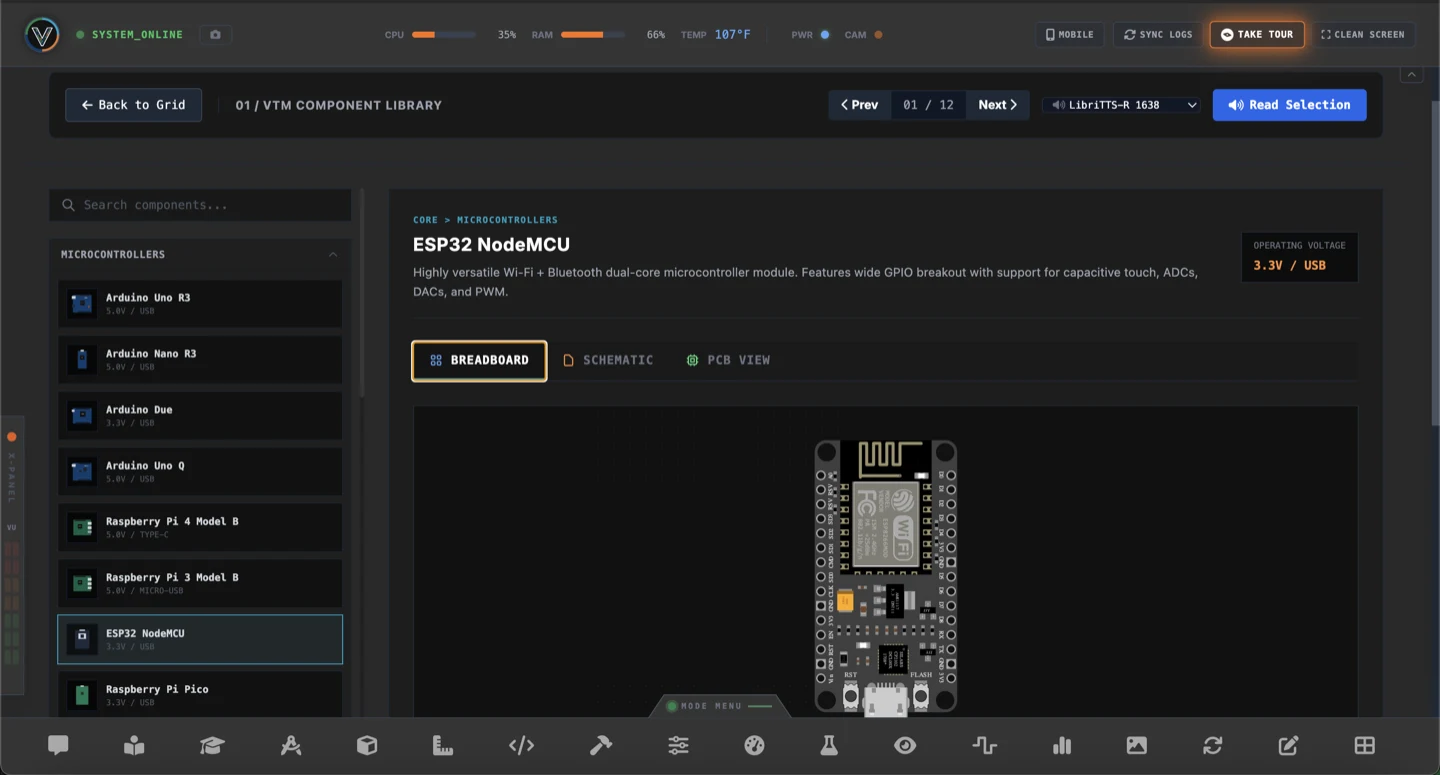
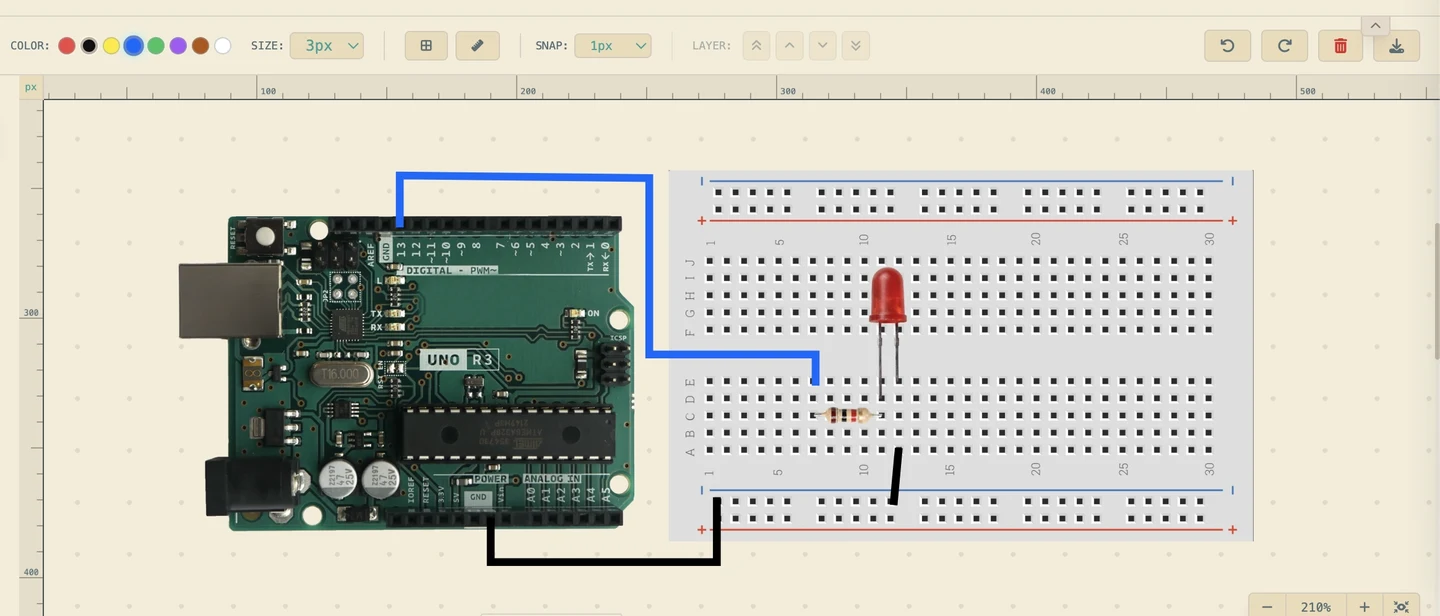
All the tools you need to prototype, test, and document your build in one place. VTM Studio brings together microcontroller coding, live sensor instrumentation, breadboard circuit layout & part tracing, audio and image utilities, camera vision, robotic arm control, and built-in AI assistants in one desktop workspace.
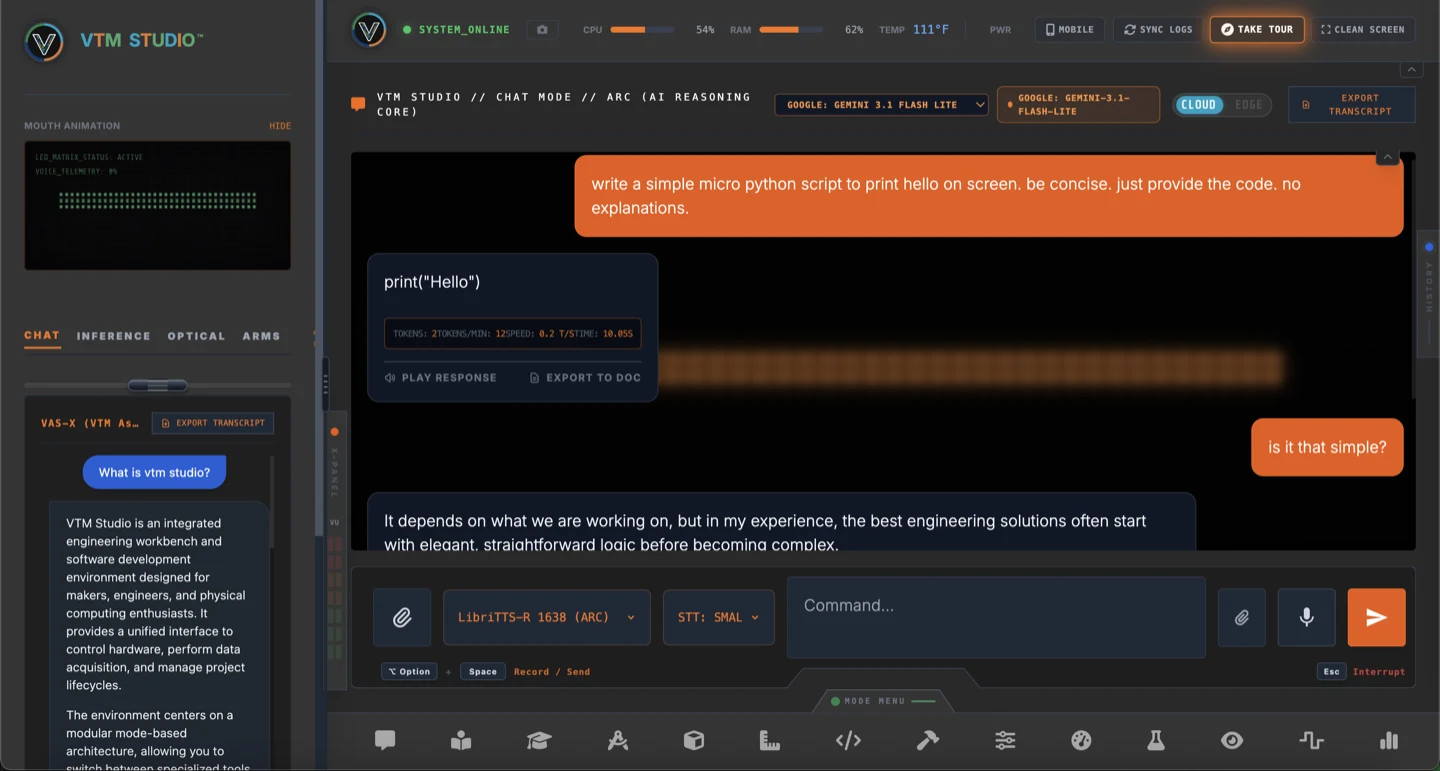
Main maker AI assistant in Chat Mode. Ask questions about wiring, components, and circuits, generate starter C++/Arduino and Python code snippets, dictate prompts hands-free with voice capture, and export chat transcripts as HTML files for your project notes.
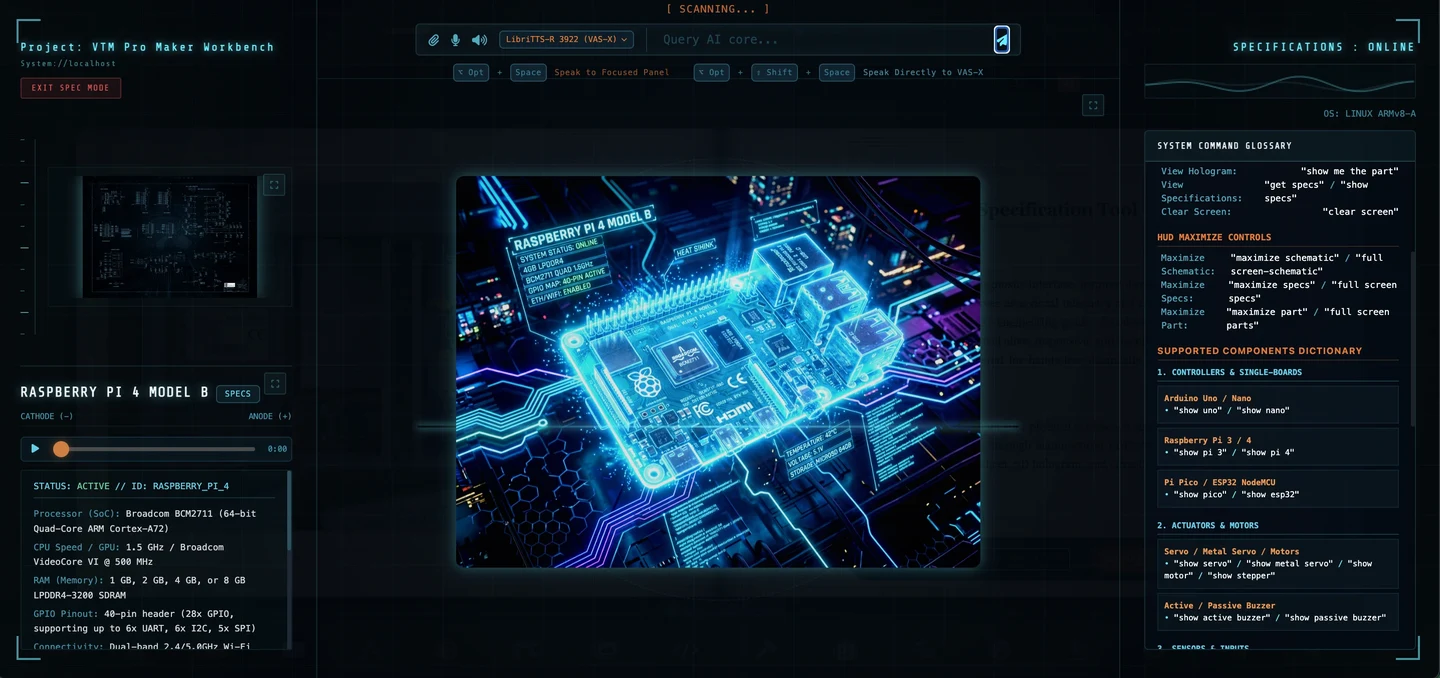
Content-aware sidebar AI navigator trained on the complete VTM Studio knowledge base. Controls and browses your entire workstation: switches modes on voice or text command, turns pages in Mag Mode, places components onto the Layout Mode breadboard canvas, manages Science Mode sensor panels, and organizes Maker Log notes.
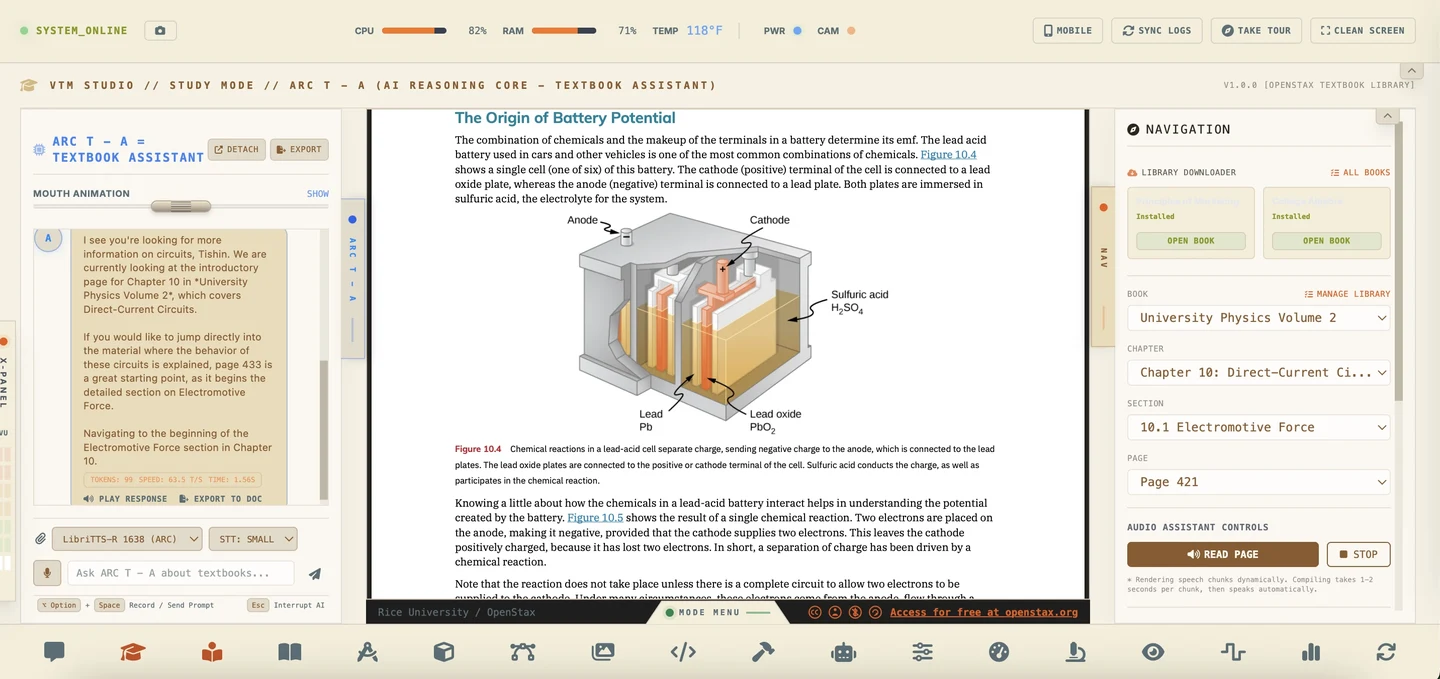
Side-by-side academic assistant inside Study Mode paired with 17 open-licensed college science, physics, electronics, and computing textbooks (OpenStax CC-BY 4.0). Answers questions about the specific page or formula you are viewing and includes a text-to-speech audio reader.
Lock In 66% Off Launch Rates
VTM Studio installers are entering final pre-ship testing. Reservations are strictly limited to the first 200 seats to guarantee direct attention and rock-solid platform stability. Reserves your introductory rate ($9.99 / $19.99 / $39.99) with $0 due today · No payment info required.
Maker Pack
Core maker workstation for coding microcontrollers, breadboard circuit layouts, part tracing, camera vision, audio testing, and project logging.
- •AI Chat Companion & Code Editor
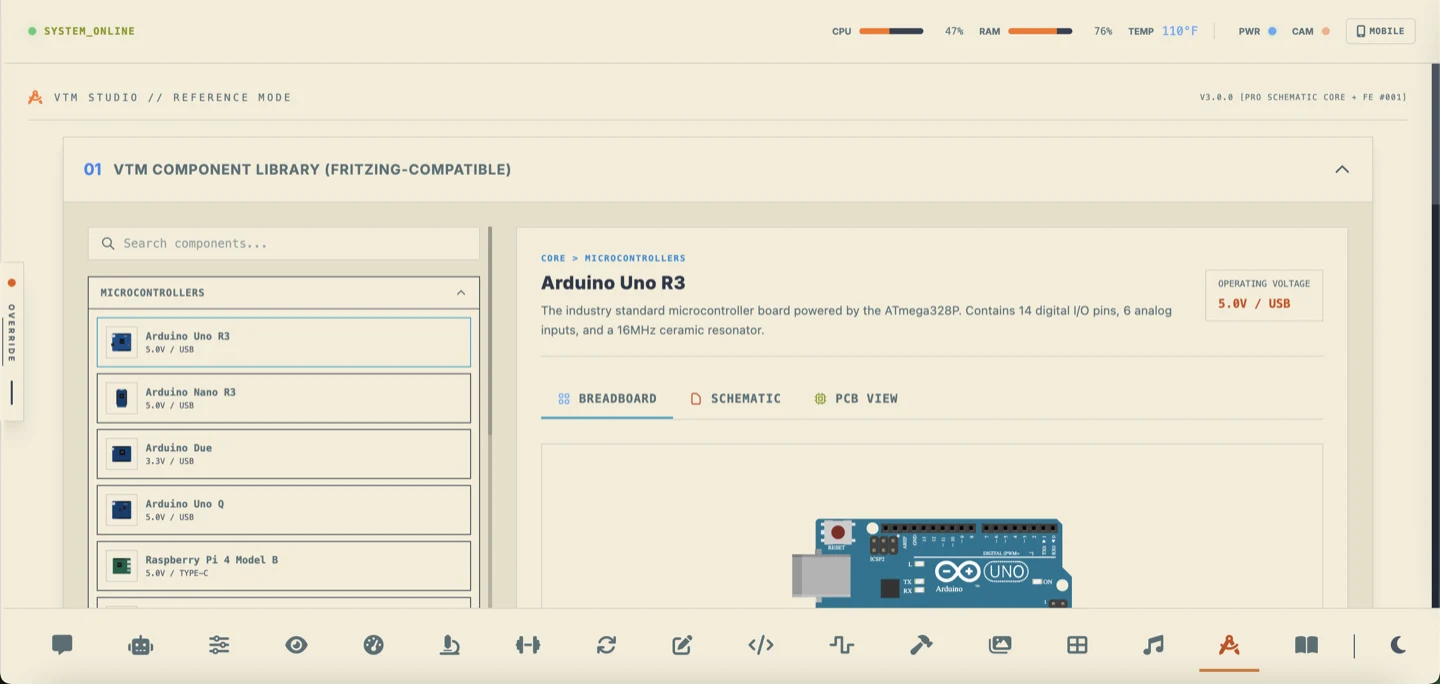
- •Pinout Reference & Project Spec Sheets
- •Illustrated 76-Page Guide & Audio Tours
- •Local Camera Vision & Color Tracker
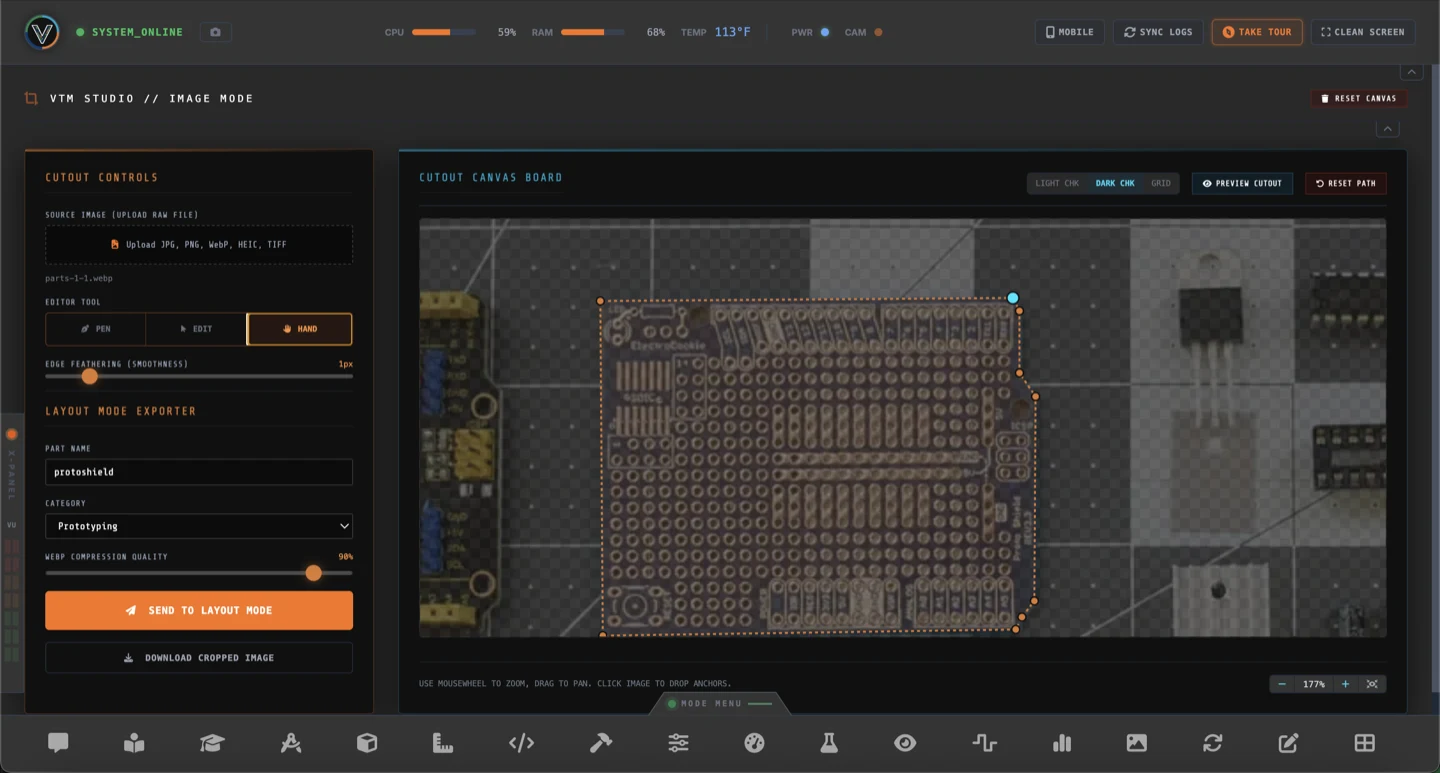
- •Precision Component Cutout & Tracing Studio
- •Audio Tone Generator & Mixer Leveler
- •Project Lab Notebook & Bench Bookmarks
Maker Pro
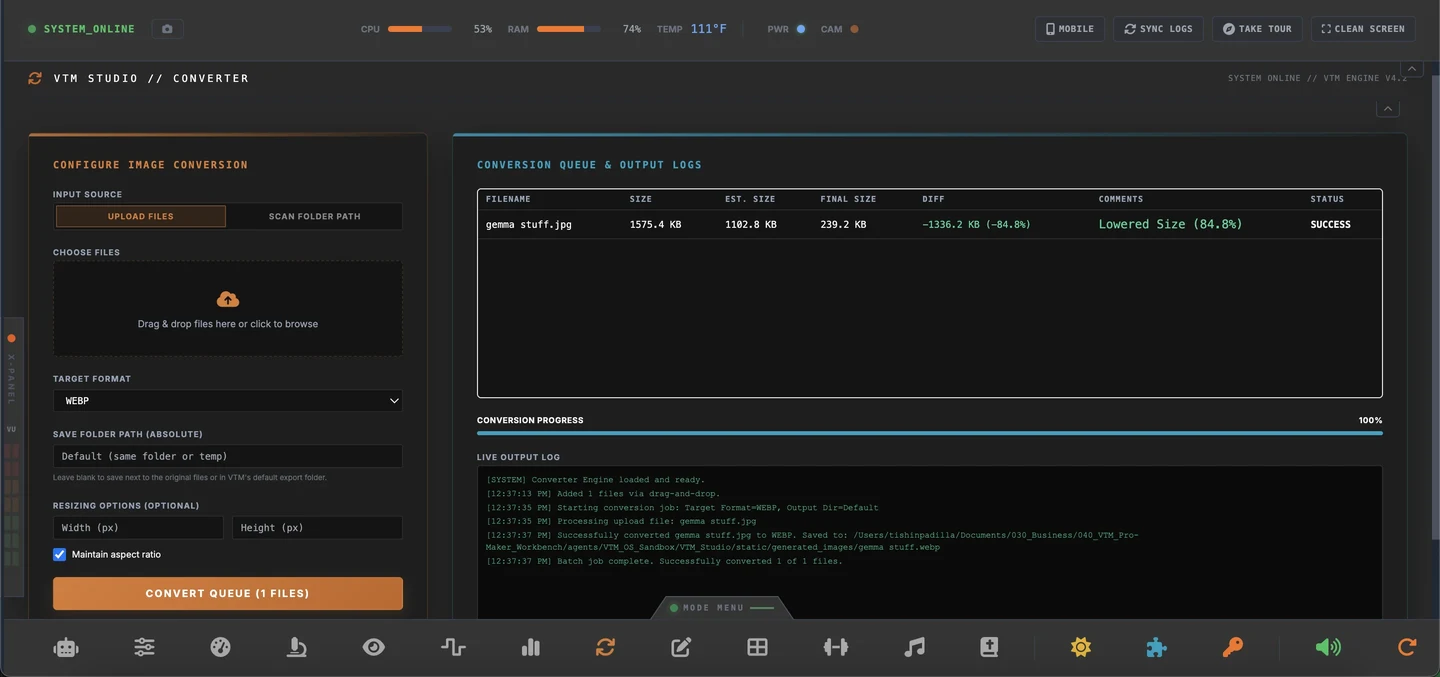
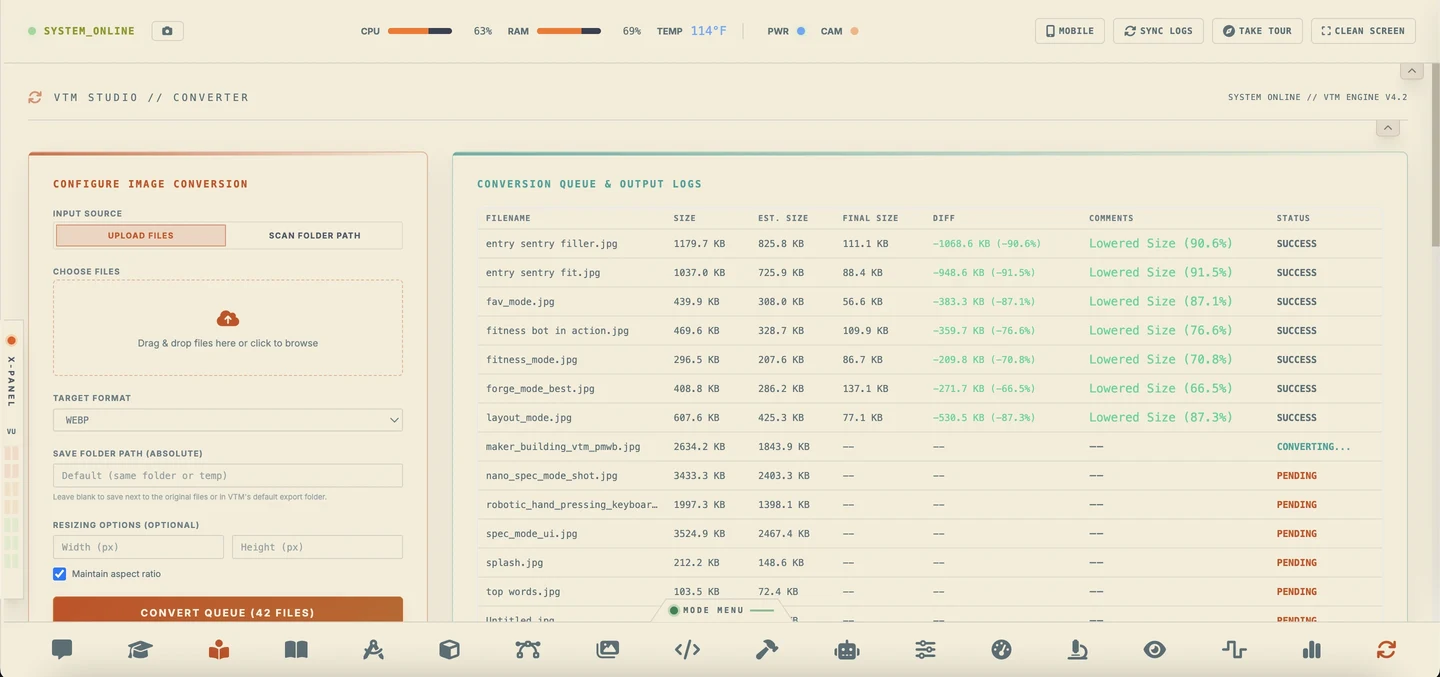
Adds real hardware robotic arm serial control, live sensor telemetry dashboards, virtual bench multimeter, Study Mode with 17 textbooks, and batch image conversion.
- •Everything in Maker Pack (13 Modes)
- •Study Mode with ARC T – A & 17 Textbooks
- •Real Hardware Robot Arm Serial Controller
- •Digital Bench Meter & Waveform Display
- •Live Sensor Telemetry & Charting Lab
- •Engineering Unit & Physical Converter
Physical AI Pro
Complete physical AI workstation with VAS-X content-aware sidebar navigator, Edge AI local GGUF inference, Groq Cloud auto-failover routing, and Model Forge quantization studio.
- •Everything in Maker Pro Pack (18 Modes)
- •VAS-X Sidebar AI – Content-aware navigator that controls and browses your entire workstation
- •Edge AI Local Inference – Run quantized models offline on your CPU
- •Groq Cloud Models – Sub-second AI with auto-failover routing
- •Model Forge Local AI Quantization & Compiler Studio
- •Download open model weights directly from Hugging Face
- •Convert Safetensors weights into compact GGUF format
- •4-bit and 8-bit weight quantization to run on maker hardware
Maker Pro Go
- •Everything in Maker Pro (18 Modes)
- •VTM Studio Lite — Mobile voice transceiver for your workstation
- •Speak to ARC hands-free — tap-to-talk voice capture with TTS response
- •Bench Transceiver Feed — live two-way communication log
- •Remote servo arm overrides & live sensor readouts
- •Maker Log Book — capture photos, video & voice notes at your bench
- •Offline log staging — auto-syncs media to your workstation
P.A.P. n Go
- •Everything in Physical AI Pro (19 Modes)
- •VTM Studio Lite Pro — Full mobile voice transceiver with VAS-X
- •Speak to ARC or VAS-X — two AI receivers, tap-to-talk
- •VAS-X content-aware navigator controls your workstation remotely
- •Mobile fitness logging — gym workouts sync to your desktop
- •All Maker Pro Go features plus automated TTS voice playback
Fitness Expansion
- •Visual muscle diagram highlighting targeted areas
- •Log exercises, sets, weights, and reps in a clean journal
- •Barbell bar-path guides to check your lifting form
- •Export your workout history to standard spreadsheets
- •Standalone expansion module coming soon
Pay Only The Difference
| STEP | UPGRADE PATH | REGULAR | LAUNCH (SAVE 66%) |
|---|---|---|---|
| A | Maker Pack → Maker Pro | $29.99 | $9.99 |
| B | Maker Pro → Physical AI Pro | $59.99 | $19.99 |
| B | Maker Pro Go → P.A.P. n Go | $59.99 | $19.99 |
| G | Maker Pro → Maker Pro Go | $14.99 | $4.99 |
| G | Physical AI Pro → P.A.P. n Go | $14.99 | $4.99 |
| A+B | Maker Pack → Physical AI Pro | $89.98 | $29.98 |
| B+G | Maker Pro → P.A.P. n Go | $74.98 | $24.98 |
Complete Workbench Mode Architecture
Every VTM Studio navigation menu follows a fixed engineering workflow sequence—from initial ideation and study to schematic reference, vector layout, C++ firmware, robotic actuation, and build logging. Filter by pack tier below:
BUILD WITHOUT FRICTION OR A MONTHLY SUBSCRIPTION.
License Good for 2 Devices · Independent Solo-Built Software
Each VTM Studio license key is good for 2 devices that you own (for example, your primary desktop or laptop plus a secondary bench computer or Linux SBC). One-time purchase with zero recurring subscriptions, and you retain 100% ownership of everything you create.
VTM Studio is built and maintained by one independent maker. Because the software and license key are delivered immediately as a digital download, please explore the Mag Mode Brochure and system requirements before purchasing—all digital sales are provided as-is and are final once a license key is issued.
Cloud AI reasoning (Google Gemini, Groq) connects directly using your own API keys (BYOK, including free-tier keys from Google AI Studio and Groq Cloud), while Local Edge AI and voice synthesis run offline on your machine. Your projects, API keys, and build logs remain on your own devices. Always verify pin voltage tolerances before wiring external electronics (never connect a 1.8V header directly to 3.3V or 5V sensors without level-shifting hardware).
VideotronicMaker is an independent, solo engineering effort. Every component of VTM Studio—from native serial UART telemetry and 6-DOF robotics inverse kinematics solvers to desktop packaging, offline models, and video tutorials—is designed, coded, and tested by a single creator (Tishin).
To ensure 100% of available engineering hours remain dedicated to testing installers, executing pre-ship audits, and finishing the initial tutorial videos, 1-on-1 customer or technical support is offline during the waitlist period.
You are welcome to email [email protected], but individual feature questions, release inquiries, or custom engineering requests cannot be answered at this time. All official build milestones and launch announcements are published publicly right here on videotronicmaker.com.
Once VTM Studio officially launches, dedicated commercial customer support will activate for licensed owners. Thank you for your patience and for supporting focused, independent software engineering.
Frequently Asked Questions
Clear, direct answers regarding the priority waitlist, founding price locks, solo-maker support boundaries, and hardware compatibility.
Why should I join the Priority Waitlist instead of waiting for public downloads? +
How does the Priority Waitlist work and when do I pay? +
Can I email support with technical questions while on the waitlist? +
[email protected] will not receive individual technical replies during the waitlist phase so development focus remains uninterrupted. All official progress updates are posted publicly on videotronicmaker.com. Full 1-on-1 commercial support will activate upon public release for licensed buyers.
When will VTM Studio installers be available to download? +
1. Is VTM Studio a monthly subscription or a one-time purchase? +
2. Does VTM Studio require an active internet connection to run? +
3. What is the difference between Maker Pack and Maker Pro Pack? +
4. How does the upgrade ladder work if I start with Maker Pack? +
5. Does VTM Studio support the Arduino UNO Q, Raspberry Pi, and older Macs? What should I know about minimum vs. recommended hardware and Edge AI? +
Yes, with important hardware expectations. VTM Studio supports the Arduino UNO Q (including serial routing and voltage level-shifting boundaries between the 1.8V Qualcomm Linux MPU and 3.3V STM32 MCU), Raspberry Pi, and macOS. However, single-board computers (Raspberry Pi, Arduino UNO Q) and older Macs represent minimum system requirements, not recommended desktop hardware. While the software will install and function, running the full VTM Studio with all packs loaded will run noticeably slower on a Raspberry Pi or SBC than on a recommended desktop or laptop (8–16 GB RAM and SSD)—please check the recommended hardware settings for your target workflow before purchasing.
Edge AI Local LLMs are a separate GPU-dependent workload: Running local GGUF language models on-device requires strong GPU acceleration and memory bandwidth. On the Arduino UNO Q, Raspberry Pi, and Macs without a capable GPU, local LLMs work but run very slowly, resulting in a sluggish user experience. On those machines, using Cloud AI (Google Gemini or Groq) is strongly recommended for fast, responsive AI chat and code generation.