BENCH FAQ // HARDWARE TROUBLESHOOTING
Frequently Asked Questions
Blink sketch C++ primitives, onboard vs external LED wiring, current-limiting resistor protection, Lego case ventilation, and workbench tools.
1. How does the Arduino Blink sketch control an LED?
+
The Blink sketch configures Digital Pin 13 as an output using pinMode(LED_BUILTIN, OUTPUT) in the setup() function. Inside the repeating loop() function, digitalWrite(LED_BUILTIN, HIGH) applies 5V to energize the LED, delay(1000) pauses execution for 1000 milliseconds (1 second), digitalWrite(LED_BUILTIN, LOW) cuts voltage to 0V (GND), and another delay(1000) pauses before the cycle repeats indefinitely.
2. Do I need an external breadboard and LED to run the Blink sketch?
+
No. Every standard Arduino Uno includes an onboard surface-mount yellow or green LED labeled "L" pre-wired directly to Digital Pin 13 through an internal buffering op-amp and resistor. However, to wire an external LED on a breadboard, connect the longer anode (+) lead to Digital Pin 13 and the shorter cathode (-) lead through a 220Ω or 330Ω current-limiting resistor to Arduino GND.
3. What happens if an external LED is connected directly to an Arduino pin without a resistor?
+
LEDs have virtually zero internal resistance once their forward threshold voltage (typically 1.8V to 3.2V) is reached. Connecting an LED directly between 5V and GND without a series current-limiting resistor causes an immediate current spike exceeding 100mA, instantly burning out the LED semiconductor junction and potentially damaging the ATmega328P microcontroller output pin (which has a 40mA absolute maximum limit).
4. What precautions should be taken when building an enclosure out of Lego bricks?
+
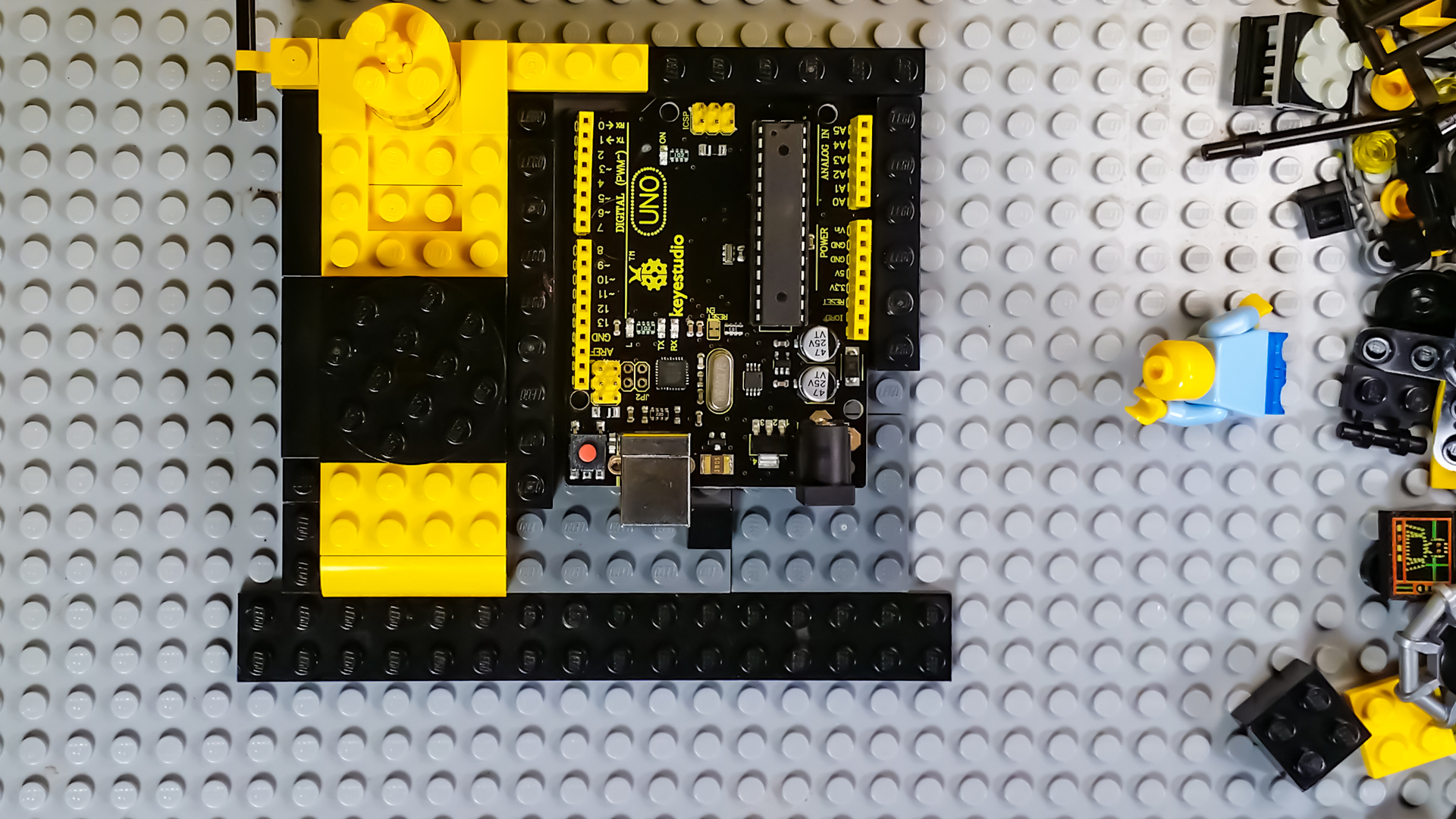
Standard ABS plastic Lego bricks are non-conductive electrical insulators, making them safe for framing circuit boards. However, leave ventilation slots above the 5V linear voltage regulator and ATmega328P microcontroller chip to prevent heat buildup. Ensure clear cutouts for the USB Type-B programming jack, DC barrel power jack, and ICSP headers so cables can plug in without straining the Lego frame.
5. How does this introductory Blink tutorial integrate with VTM Studio?
+
This project pairs directly with VTM Studio Code Mode, where beginners can load, modify, and flash the Blink sketch with a single click while observing compile logs. In Reference Mode, makers can inspect the complete Arduino Uno pinout map, LED polarity diagrams, and resistor color code charts right on their workbench.